

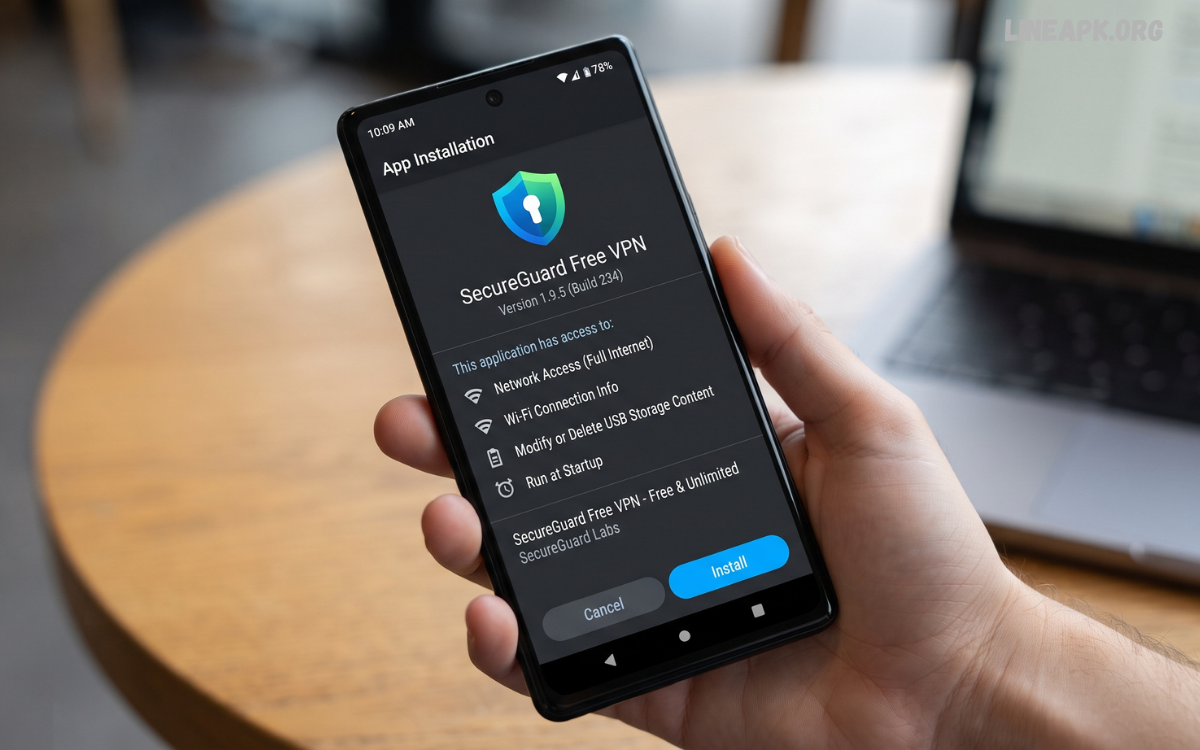
Internet privacy has become increasingly important as more people use smartphones for communication, entertainment, shopping, education, banking, and everyday browsing. A free VPN APK can provide an additional layer of privacy by creating an encrypted connection between your device and a VPN server.
VPN applications are now available for almost every major platform, including Android. Many users search for a free VPN APK because they want to try VPN features without paying for a subscription. However, choosing a trustworthy application is essential.
What Is a Free VPN APK?
A free VPN APK is an Android application package that provides access to VPN functionality without requiring an immediate paid subscription. APK stands for Android Package Kit, which is the file format used to install applications on Android devices.
A VPN, or Virtual Private Network, establishes an encrypted connection between your device and a VPN server. Instead of connecting directly to websites through your normal internet connection, your traffic is routed through the VPN service.
Free VPN applications may provide features such as:
- Encrypted internet connections
- Multiple server locations
- Automatic connection options
- Wi-Fi protection
- Basic privacy tools
- IP address masking
- Data usage limits
- Different connection protocols
However, free services often have limitations compared with premium VPN subscriptions. These may include fewer servers, slower speeds, advertisements, limited monthly data, or fewer customization options.
How Does a VPN Work?
Understanding how a VPN works can help you decide whether a free VPN APK is appropriate for your needs.
When you activate a VPN, the application establishes a connection between your device and a VPN server. Your internet traffic is then routed through that server. The VPN encrypts traffic between your device and the VPN server, making it more difficult for someone on the same network to inspect that traffic.
Why Do People Use a Free VPN APK?
There are several legitimate reasons people use VPN applications on Android devices.
Public Wi-Fi Protection
Public Wi-Fi networks at airports, schools, hotels, libraries, and cafés can present additional security risks. A VPN can encrypt traffic between your device and the VPN server, providing an extra layer of protection when using networks you do not fully control.
Improved Online Privacy
A VPN can help reduce the visibility of your IP address to websites and online services. This can be useful for people who want additional privacy while browsing.
Secure Remote Connections
People who frequently work or study remotely may use VPN services when accessing online resources over unfamiliar networks. VPNs can be particularly useful when an organization provides its own secure VPN infrastructure.
IP Address Protection
A VPN generally replaces the IP address visible to websites with the address of the VPN server. This can help limit direct exposure of your normal public IP address.
Testing VPN Features
A free VPN APK can also be useful for people who want to understand how VPN services work before considering a paid plan.
Important Features of a Good Free VPN APK
Not all VPN applications are equally reliable. Before installing one, consider the following features.
Strong Encryption
Encryption is one of the most important parts of a VPN. Look for services that clearly explain their security technology and supported VPN protocols.
Transparent Privacy Policy
A reputable provider should clearly explain what information it collects, why it collects that information, and how long it retains it. Be cautious when an application makes strong privacy claims without providing understandable documentation.
Reliable Connection
A VPN should maintain a stable connection without frequent interruptions. Connection reliability can be affected by server capacity, distance, network congestion, and the quality of the VPN infrastructure.
Server Availability
Free VPN services commonly offer fewer server locations than paid services. A larger selection of servers can make it easier to find a reliable connection close to your location.
Reasonable Speed
VPN encryption and routing can sometimes reduce connection speed. A quality service should minimize unnecessary performance loss.
Clear Data Limits
Some free VPNs impose daily or monthly data limits. Check these restrictions before relying on a service for regular browsing or streaming.
Kill Switch
A kill switch can automatically block internet traffic if the VPN connection unexpectedly drops. This can help prevent accidental exposure of your normal network connection.
Free VPN APK vs. Premium VPN
The biggest difference between free and premium VPN services is usually the number and quality of available features.
A free VPN may be sufficient for occasional browsing, testing VPN technology, or basic privacy needs. Premium VPN services commonly provide more servers, higher bandwidth, additional protocols, stronger customer support, and fewer restrictions.
| Feature | Free VPN | Premium VPN |
|---|---|---|
| Cost | Usually free | Subscription required |
| Server selection | Often limited | Usually broader |
| Data allowance | May be limited | Often higher |
| Speed | Can vary | Generally more consistent |
| Advertisements | May be present | Usually fewer or none |
| Advanced features | Limited | More extensive |
| Customer support | Often limited | Usually better |
The right choice depends on how frequently you need a VPN and which features matter most to you.
Is a Free VPN APK Safe?
A free VPN APK can be safe when it comes from a trustworthy provider and is obtained through a legitimate distribution channel. However, downloading random APK files from unknown websites can create unnecessary security risks.
Some unofficial APK files may have been modified, repackaged, or bundled with unwanted software. For this reason, users should be careful about downloading applications from unfamiliar sources.
Before installing a VPN application, consider:
- Checking the developer’s identity
- Reading the privacy policy
- Reviewing recent user feedback
- Checking requested permissions
- Avoiding modified or “cracked” versions
- Keeping Android security features enabled
- Downloading from reputable sources whenever possible
A VPN should improve your security rather than introduce another security problem.
Permissions to Watch For
Android applications request permissions for different functions. VPN applications may legitimately need certain permissions to establish and manage VPN connections.
However, users should still review the permissions requested by an application. If a VPN application asks for access that appears unrelated to its primary purpose, investigate why that permission is required before proceeding.
Read Also: Android Application Downloads: A Complete Guide to Finding and Installing Apps
How to Choose the Best Free VPN APK
Choosing the right application requires more than searching for the highest-rated result.
Start by researching the VPN provider. Look for information about its ownership, privacy policy, security practices, and reputation. A trustworthy provider should be transparent about how its service operates.
How to Use a Free VPN APK on Android
Using a VPN application is generally straightforward.
First, install the legitimate VPN application on your Android device. Open the application and review its privacy information and requested permissions.
Next, choose a server location if the application provides multiple options. Some VPN applications automatically select a server based on connection quality.
Advantages of a Free VPN APK
Free VPN applications offer several potential advantages.
No Initial Subscription
The most obvious benefit is that users can access basic VPN functionality without immediately paying for a subscription.
Easy Testing
A free plan allows users to test connection quality and application features before deciding whether a premium plan is necessary.
Additional Privacy
A VPN can provide an encrypted connection and hide your normal public IP address from websites that receive the VPN connection.
Useful for Occasional Users
People who only need VPN protection occasionally may find a free service sufficient for basic requirements.
Limitations of Free VPN Services
Free services also have important limitations.
Some may impose data caps, speed restrictions, or limited server access. Others may display advertisements within the application.
Privacy is another major consideration. Operating VPN infrastructure costs money, so users should understand how a free provider supports its service. Read the provider’s privacy policy carefully and avoid services that are unclear about data collection.
Free VPN APK and Online Privacy
A VPN is only one component of online privacy. Users should combine VPN protection with other responsible security practices.
Use strong and unique passwords for important accounts. Enable multi-factor authentication whenever available. Keep Android and installed applications updated. Avoid clicking suspicious links or downloading unknown files.
Common Mistakes to Avoid
One of the biggest mistakes is downloading a VPN APK from an unknown website simply because it promises unlimited premium features.
Avoid modified, pirated, or cracked applications. They can create security and privacy risks and may not behave like the original software.
Frequently Asked Questions
What is a free VPN APK?
A free VPN APK is an Android application package that provides VPN functionality without requiring an immediate paid subscription.
Is a free VPN APK safe?
It can be safe when provided by a reputable VPN company and obtained through a trustworthy source. Unknown or modified APK files should be avoided.
Does a VPN make me completely anonymous?
No. A VPN can hide your normal public IP address and encrypt certain network traffic, but it does not make you completely anonymous online.
Are free VPNs really free?
Many offer free plans, but they may have limitations such as data caps, fewer servers, slower speeds, or advertisements.
Can a VPN improve Wi-Fi security?
A VPN can add encryption to traffic between your device and the VPN server, which can provide additional protection when using unfamiliar networks.
Does a VPN increase internet speed?
Usually, a VPN does not increase your normal internet speed. Encryption and routing can sometimes reduce performance, although results vary by provider and server.
Should I use a free VPN every day?
That depends on your needs and the provider’s limitations. If you require frequent connections, higher speeds, or advanced features, a reputable premium service may be more suitable.
Can I use a VPN on Android?
Yes. Android supports VPN functionality, and many VPN providers offer dedicated Android applications.
What should I check before installing a VPN APK?
Check the developer, privacy policy, permissions, security features, reviews, update history, and download source.
Is a free VPN APK better than a paid VPN?
Not necessarily. Free VPNs can be useful for basic or occasional needs, while reputable paid services generally offer more features, servers, performance, and support.
Conclusion
A free VPN APK can be a useful privacy tool for Android users who want to explore VPN technology without immediately purchasing a subscription. It can encrypt network traffic between your device and a VPN server, provide additional protection on unfamiliar Wi-Fi networks, and help conceal your normal public IP address from websites.
However, free does not always mean risk-free. The most important consideration is the reputation and transparency of the VPN provider. Avoid random or modified APK files, review privacy policies carefully, check application permissions, and understand limitations such as data caps and slower connections.
