


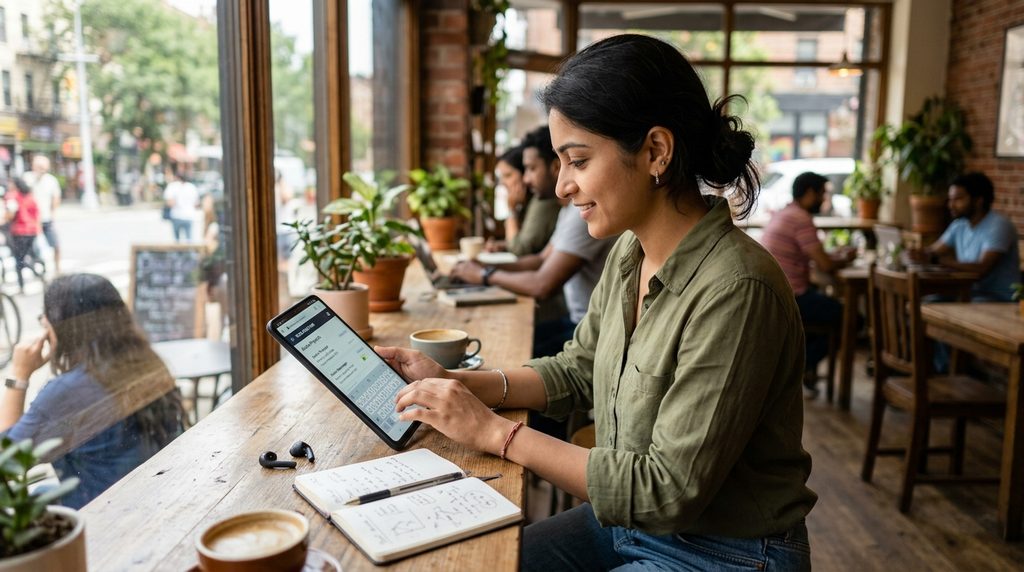
Freelancing has changed how people work, earn, and build professional careers. A laptop is useful for advanced projects, but many freelance tasks can now be completed through a smartphone. Freelancing From Mobile allows beginners, students, creators, and independent professionals to manage work using apps and cloud-based tools.
A modern smartphone can handle communication, content creation, graphic design, social media management, research, customer support, and several other services. With the right skills, reliable internet connection, organized workflow, and professional mindset, a mobile device can become a practical tool for starting a freelance career.
What Is Freelancing From Mobile?
Freelancing From Mobile means providing professional services to clients while using a smartphone as the primary work device. Instead of depending entirely on a desktop computer, freelancers can use mobile applications for finding clients, discussing projects, creating deliverables, sending files, managing schedules, and receiving payments.
Mobile freelancing does not mean working without professional standards. Clients still expect quality, reliability, communication, originality, and timely delivery. The smartphone simply becomes the main productivity device, while cloud storage, editing applications, project-management platforms, and communication tools support the complete workflow.
How Does Mobile Freelancing Work?
The basic process starts with selecting a marketable skill and creating a professional service around it. A freelancer can create profiles on freelance marketplaces, social platforms, or professional networks, publish examples of previous work, communicate with potential clients, and submit proposals through mobile applications.
After receiving a project, the freelancer discusses requirements, confirms the deadline, creates the required work, shares drafts when necessary, receives feedback, and submits the final deliverable. Good organization becomes especially important because mobile screens are smaller than computer displays and multitasking can become challenging.
Can You Start Freelancing With Only a Smartphone?
Yes, several freelance services can be started with only a smartphone. Writing, social media management, short-form video editing, basic graphic design, virtual assistance, transcription, customer support, online research, and content creation can often be handled through mobile applications.
However, the type of work matters. Advanced programming, professional 3D modeling, complex video production, large-scale data analysis, and certain engineering tasks may require a computer. A smartphone can still help with communication, research, client management, and smaller parts of these workflows.
Best Skills for Freelancing From Mobile
Choosing the right skill is one of the most important steps for beginners. A useful mobile-friendly skill should have real client demand, reasonable learning requirements, accessible software, and clear deliverables. Focusing on one service initially can make portfolio development and client communication easier.
Popular options include content writing, social media management, graphic design, video editing, virtual assistance, voice-over work, transcription, translation, customer support, and digital marketing. Beginners should choose a skill based on genuine interest and ability rather than selecting a service only because it appears popular.
Content Writing From Mobile
Content writing is one of the more accessible options for Freelancing From Mobile. Modern writing applications provide formatting, cloud synchronization, grammar assistance, document sharing, and editing features that allow writers to create articles, website copy, product descriptions, captions, and other content.
A mobile writer should focus on readability, research quality, originality, structure, grammar, and accurate information. Creating content on a small screen can require additional concentration, so using an external keyboard can improve typing speed and reduce fatigue during longer writing sessions.
Social Media Management From Mobile
Social media management works naturally with smartphones because many social platforms are designed primarily for mobile users. Freelancers can create posts, schedule content, respond to messages, monitor engagement, research trends, and communicate with clients directly through mobile applications.
Professional social media management requires more than publishing posts. A freelancer needs to understand content strategy, audience behavior, brand voice, analytics, community management, and consistency. Creating a monthly content calendar can help maintain an organized workflow across multiple client accounts.
Graphic Design Using a Smartphone
Mobile design applications have made basic graphic design accessible to freelancers without expensive desktop software. A freelancer can create social media graphics, thumbnails, promotional posts, banners, simple logos, presentations, and marketing materials using suitable design applications.
Successful mobile designers should understand typography, spacing, visual hierarchy, composition, and brand consistency. Templates can speed up production, but original customization is important when creating professional client work. Building a portfolio with different design categories can demonstrate flexibility.
Video Editing From Mobile
Short-form video has created opportunities for mobile video editors. Smartphones can record, trim, combine, caption, resize, enhance, and export videos through various editing applications. This makes mobile video editing suitable for social media clips, promotional videos, tutorials, and short advertisements.
A professional editor should learn pacing, transitions, subtitles, audio balancing, visual storytelling, and platform-specific formats. Instead of adding excessive effects, focus on clarity and audience retention. A strong portfolio should show different editing styles while maintaining consistent technical quality.
Virtual Assistance From Mobile
Virtual assistants help businesses and individuals with administrative and organizational tasks. Many responsibilities can be completed from a smartphone, including email management, appointment coordination, customer communication, reminders, basic research, social media assistance, and file organization.
Mobile virtual assistance requires excellent communication and time-management skills. Since clients may depend on the freelancer for important tasks, responsiveness and accuracy are essential. Cloud storage, calendar applications, note-taking tools, and communication platforms can help organize daily responsibilities.
Freelance Platforms for Mobile Workers
Freelance marketplaces connect independent professionals with clients seeking specific services. Many major platforms provide mobile applications that allow freelancers to manage profiles, communicate with clients, monitor projects, and receive notifications without constantly using a desktop.
Before choosing a platform, review its service categories, fees, payment methods, client requirements, and marketplace rules. Creating a focused profile is generally more useful than listing every possible skill. A clear description should explain what you offer, who you help, and what clients can expect.
Creating a Professional Freelance Profile
A freelance profile acts like a digital professional introduction. It should clearly communicate your skills, experience, services, and value. Use a professional profile image where appropriate, write a concise description, and organize your portfolio around the services you want clients to purchase.
Avoid filling the profile with exaggerated claims or unrelated information. Instead, demonstrate capability through practical examples. If you are new, create sample projects that represent realistic client requirements. A strong portfolio can communicate ability even when professional experience is limited.
Building a Mobile-Friendly Freelance Portfolio
A portfolio gives potential clients evidence of your skills. Writers can display articles, designers can show graphics, editors can present video samples, and social media managers can demonstrate content strategies. Cloud storage and portfolio websites make it possible to share examples directly from a smartphone.
Quality matters more than quantity. Select samples that represent your strongest work and organize them by service. Each portfolio item can include a short explanation of the project goal, your contribution, and the result. Keep files properly named so clients can understand the portfolio quickly.
Finding Your First Freelance Client
Getting the first client can take time because new freelancers usually have limited reviews and professional history. Start by creating a focused profile, preparing strong samples, and submitting customized proposals that address the client’s actual requirements rather than sending identical messages to everyone.
Networking can also help. Professional communities, social media platforms, business groups, and personal contacts can introduce freelancers to potential clients. Always communicate professionally and avoid making unrealistic promises. Building trust through small successful projects can create opportunities for longer-term work.
Writing Better Freelance Proposals
A good proposal should show that you understand the client’s project. Begin by addressing the specific requirement, explain how your skill matches the task, and mention relevant portfolio examples. Keep the message concise while providing enough information to establish credibility.
Avoid generic proposals filled with unnecessary personal information. Clients usually want to know whether you understand their problem and can deliver the required result. A customized proposal demonstrates attention to detail and can make your application more relevant than a copied template.
Setting Freelance Prices
Pricing depends on skill level, project complexity, delivery requirements, experience, and market conditions. Beginners often need to establish a practical starting rate while avoiding extremely low prices that can make professional work difficult to sustain.
Consider whether you are charging per project, hour, word, design, video, or monthly service. Clearly define what the price includes and what counts as additional work. Written agreements about revisions, deadlines, deliverables, and payment terms can reduce misunderstandings.
Managing Client Communication on Mobile
Clear communication is essential when practicing Freelancing From Mobile. Messaging applications, email, video calls, and project-management platforms allow freelancers to maintain professional communication without a computer. Keep important client information organized rather than relying entirely on memory.
Respond within a reasonable timeframe and confirm important instructions in writing. If a client changes the project scope, clarify the new requirements before continuing. Professional communication creates confidence and helps prevent disputes about deadlines, revisions, or deliverables.
Managing Freelance Projects From a Smartphone
Project management becomes easier when tasks are organized into clear stages. Create separate notes or project folders for each client, record deadlines, save important instructions, and maintain a simple checklist of pending tasks.
Calendar applications can help manage deadlines, while cloud storage can organize documents and project files. Notifications should be configured carefully so important messages are not missed. A structured workflow reduces errors and makes mobile freelancing more manageable.
Essential Mobile Apps for Freelancers
A productive mobile freelancer usually needs several categories of applications rather than one single app. These can include document editors, cloud storage, communication tools, graphic design software, video editors, calendars, note-taking applications, password managers, and finance tools.
Choose applications based on actual workflow requirements instead of installing too many tools. Excessive applications can create confusion and consume storage space. A smaller collection of reliable tools can provide a faster and more consistent working environment.
Using Cloud Storage for Freelancing
Cloud storage is particularly useful when working from a smartphone. Important documents, images, videos, contracts, portfolio samples, and client files can remain accessible across devices. Automatic synchronization also reduces the risk of losing important work if the phone develops a problem.
Create a separate folder structure for each client or project. Use clear file names and maintain organized versions of important documents. Regularly reviewing storage usage can also prevent unexpected problems when large video or design files consume available space.
Using an External Keyboard
Typing long documents on a smartphone can become uncomfortable. An external Bluetooth keyboard can provide a more traditional typing experience while maintaining the portability of mobile freelancing. This can be especially useful for writers, virtual assistants, translators, and customer-support professionals.
A keyboard is not mandatory, but it can improve productivity for text-heavy work. Pairing it with a phone stand can create a more comfortable workspace. These small improvements can make a smartphone-based setup feel closer to a compact workstation.
Internet Requirements for Mobile Freelancing
Reliable internet access is essential for most freelance work. Freelancers need connectivity for client communication, file uploads, video calls, cloud synchronization, research, and project submissions. Unstable internet can cause delays and make large file transfers difficult.
Consider having a backup connection when possible. A secondary mobile data option or another reliable connection can help during temporary outages. Downloading essential documents for offline access can also allow some work to continue when internet connectivity becomes unavailable.
Protecting Freelance Accounts
Security should be a priority for every freelancer. Use strong, unique passwords for important accounts and enable two-factor authentication whenever available. Avoid sharing passwords with clients and be cautious when opening unexpected files or links.
A password manager can simplify account security while reducing the need to remember multiple passwords. Keep the smartphone updated and install applications from trusted sources. Regular backups can provide additional protection against accidental data loss.
Avoiding Freelance Scams
New freelancers can encounter fake clients, suspicious payment requests, unrealistic offers, and requests for unpaid work. Be cautious when a client asks for sensitive account information, unusual payments, or work outside a platform’s normal process.
Research unfamiliar clients when appropriate and understand the protection offered by the platform you are using. Do not let pressure force you into accepting unclear agreements. Legitimate freelance work should have understandable requirements, deliverables, communication, and payment arrangements.
Creating a Daily Freelancing Routine
A consistent routine can improve productivity when working from a mobile device. Start by reviewing messages, checking deadlines, organizing priorities, and identifying the most important task for the day. Work can then be divided into focused sessions.
Avoid switching constantly between unrelated applications. Notifications can interrupt concentration, particularly during writing or editing tasks. Setting dedicated work periods and short breaks can create a more sustainable routine while keeping personal and professional activities separate.
Time Management for Mobile Freelancers
Time management becomes important when handling multiple clients. Create a simple schedule that includes project deadlines, communication time, research, production, revisions, and administrative tasks. Avoid accepting more work than you can realistically complete.
Tracking how long different tasks take can improve future estimates. After completing several projects, you can identify which services consume the most time and adjust your workflow accordingly. Better estimates help protect both quality and client relationships.
Maintaining Work Quality on a Phone
A smartphone can produce professional results when the workflow is designed correctly. Before submitting a project, review spelling, formatting, image quality, file names, dimensions, and client instructions. Small mistakes can affect how clients perceive otherwise strong work.
For visual projects, check the final file on a larger screen when possible. For written projects, read the content carefully before delivery. Quality control should always be part of the workflow rather than something performed only when a client complains.
How to Build Long-Term Freelance Relationships
A successful freelancer focuses on more than completing individual projects. Meeting deadlines, communicating clearly, accepting reasonable feedback, and maintaining consistent quality can encourage clients to return for additional work.
Long-term relationships can provide greater stability than constantly searching for new clients. After successfully completing a project, maintain professional communication and remain available for future requirements. A satisfied client may also recommend your services to others.
Scaling Freelancing From Mobile
Once you have consistent clients, you can improve your workflow by creating templates, reusable processes, content calendars, proposal frameworks, and project checklists. Automation can reduce repetitive administrative work and provide more time for actual client projects.
You can also expand your service offerings gradually. For example, a social media manager could add content creation, basic graphic design, or short-form video editing. Expanding related services can increase value while allowing existing skills and tools to remain useful.
Advantages of Freelancing From Mobile
The biggest advantage is flexibility. A smartphone is portable, allowing freelancers to communicate with clients, check project updates, manage files, and complete certain tasks from different locations. This can be useful for people who do not have immediate access to a traditional workstation.
Mobile freelancing can also reduce the initial equipment requirement for beginners. Many essential applications offer free or affordable versions, making it possible to start learning and building a portfolio without immediately purchasing expensive hardware.
Limitations of Freelancing From Mobile
Smartphones also have limitations. Smaller displays can make complex editing difficult, storage can become restricted, battery life can affect productivity, and multitasking may be less convenient than on a computer. Large files can also require significant storage and bandwidth.
Understanding these limitations helps freelancers choose appropriate services. Mobile devices are excellent for many tasks, but they are not a universal replacement for computers. A practical strategy is to start with mobile-friendly services and upgrade equipment as income and workload increase.
Read Also: Freelancing Apps for Beginners: A Complete Guide to Starting Freelance Work
How Beginners Can Learn Freelance Skills
Learning should begin with one specific skill rather than attempting to master multiple services simultaneously. Free educational resources, practice projects, tutorials, documentation, and online communities can provide useful foundations for beginners.
Practice should focus on realistic projects. Instead of watching tutorials continuously, create sample work and identify weaknesses. Repeating this process develops practical ability and creates portfolio material that can later be shown to potential clients.
Building Experience Without Previous Clients
New freelancers often worry about having no professional experience. A portfolio can be built through self-created projects that simulate real client requirements. For example, a beginner designer can create promotional graphics for an imaginary business and demonstrate different formats.
The key is to present sample work honestly as practice or portfolio projects. Do not claim that a fictional project was completed for a real client. Transparency builds credibility and provides potential clients with a clear understanding of your current experience.
Freelancing From Mobile for Students
Students can use mobile freelancing to develop practical digital skills alongside their education. Writing, design, social media assistance, video editing, and other flexible services can be organized around academic responsibilities.
Education should remain a priority, and freelance commitments should be realistic. Starting with a small workload can help students learn professional communication, deadlines, client expectations, and financial responsibility without creating an unsustainable schedule.
Freelancing From Mobile for Beginners
Beginners should keep the process simple. Choose one skill, learn the fundamentals, create several strong samples, build a professional profile, and begin applying for suitable projects. Avoid trying to offer dozens of unrelated services at the beginning.
Progress can be gradual. The first objective should be developing reliable skills and understanding client expectations. As experience increases, freelancers can improve their portfolio, pricing, communication, workflow, and service offerings.
How to Increase Freelance Income
Increasing income usually requires improving either skill value, efficiency, client quality, service scope, or workload management. Learning advanced techniques can allow a freelancer to offer more specialized services and justify higher project rates over time.
Another approach is developing recurring services. Monthly content management, social media support, editing packages, or virtual assistance can create predictable workloads. The goal should be sustainable professional growth rather than simply accepting more projects.
Common Mistakes in Mobile Freelancing
One common mistake is accepting projects without understanding the requirements. Another is agreeing to unrealistic deadlines because of excitement about getting a first client. These mistakes can lead to rushed work, poor communication, and unnecessary stress.
Other problems include weak portfolios, generic proposals, inconsistent availability, poor file organization, and inadequate security. Identifying these issues early can help freelancers build stronger professional habits before their workload increases.
How to Stay Professional as a Mobile Freelancer
Professionalism does not depend on owning expensive equipment. It appears through reliable communication, organized files, clear agreements, accurate deadlines, respectful behavior, and consistent work quality.
Use a professional email address, maintain organized records, communicate project changes clearly, and review every deliverable before submission. Even when working entirely from a smartphone, these habits can create a professional experience for clients.
Future of Freelancing From Mobile
Mobile technology continues to improve through faster processors, better displays, improved cameras, stronger applications, cloud services, and artificial intelligence tools. These developments are expanding the types of work that can be completed outside traditional office environments.
The future of Freelancing From Mobile will likely involve increasingly integrated workflows where smartphones connect with cloud platforms, collaboration tools, artificial intelligence assistants, and other devices. Freelancers who continuously develop useful skills can adapt as these technologies evolve.
Frequently Asked Questions
Can I start freelancing from mobile?
Yes, you can start freelancing from mobile by offering services such as content writing, social media management, graphic design, video editing, virtual assistance, and online research.
Which skills are best for freelancing from mobile?
Content writing, social media management, graphic design, short-form video editing, virtual assistance, transcription, translation, and customer support are suitable options.
Do I need a laptop for mobile freelancing?
A laptop is not always necessary for starting Freelancing From Mobile. Many freelance tasks can be completed using a smartphone and cloud-based applications.
How can I find clients using my phone?
You can search for freelance opportunities through freelance marketplaces, professional networks, social media communities, and direct business outreach.
Can freelancing from mobile become a full-time career?
Yes, mobile freelancing can develop into a larger freelance career when you build valuable skills, maintain consistent clients, improve your workflow, and deliver reliable work.
Conclusion
Freelancing From Mobile provides an accessible way to begin developing digital work skills without depending entirely on a traditional computer. A smartphone can support communication, writing, design, editing, research, social media management, virtual assistance, and many other freelance activities.
Success still depends on skill, consistency, professionalism, communication, and client satisfaction. Treat the smartphone as a productivity tool rather than a shortcut to instant income.

1 Comment
Pingback: Online Jobs for Beginners: A Complete Guide to Starting Online Work- LionAPK