
Close Menu
LionAPK

    Subscribe to Updates

    Get the latest creative news from FooBar about art, design and business.

    What's Hot

    How to Create a Portable Android Gaming Stick (Run Mobile Games on Any PC)

    January 17, 2026

    Passive Income Ideas Online – Professional Guide to Earning Money Digitally

    January 17, 2026

    Crypto Earning Apps 2026 – Comprehensive Guide to Top Platforms, Trends, and Strategies

    January 15, 2026
    Facebook X (Twitter) Instagram
    Contact Us
    Facebook X (Twitter) Instagram Pinterest Vimeo
    LionAPKLionAPK
    • Home
    • OnLine Earning
    • Latest Apps
    • Blog
    Contact Us
    LionAPK
    Home»Blog»How to Create a Portable Android Gaming Stick (Run Mobile Games on Any PC)
    Blog

    How to Create a Portable Android Gaming Stick (Run Mobile Games on Any PC)

    ViratBy ViratJanuary 17, 2026No Comments3 Mins Read
    Share Facebook Twitter Pinterest LinkedIn Tumblr Reddit Telegram Email
    Share
    Facebook Twitter LinkedIn Pinterest Email

    We all have that one aging laptop sitting in a drawer—maybe an old Acer Aspire or a Dell Inspiron from 2018 that’s too slow for Windows 11 but too good to throw away. In Malaysia, where hardware prices are climbing, repurposing old tech is a smart move.

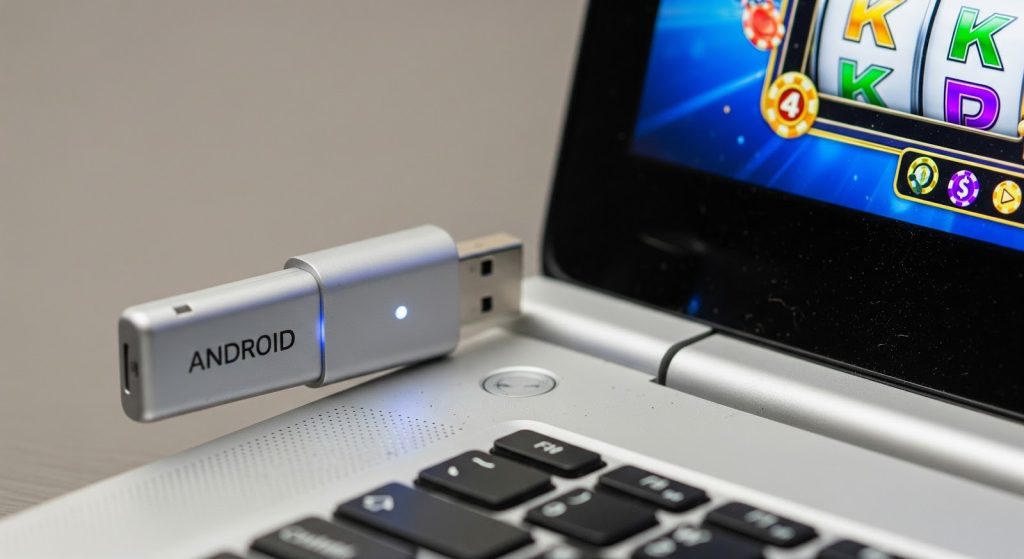
    Instead of letting it collect dust, you can use WinSetupFromUSB to turn that flash drive into a bootable “Android Gaming Stick.” This allows you to boot a full mobile operating system (like Bliss OS or Android-x86) directly from USB, bypassing the heavy Windows drive entirely.

    Here is how to set up a dedicated, lightweight gaming environment to run popular APKs on hardware that shouldn’t be able to handle them.

    1. Preparation: What You Need

    • A USB Drive: At least 8GB (USB 3.0 recommended for speed).
    • The ISO: Download a stable build of Bliss OS (recommended for newer PCs) or Android-x86 (better for older BIOS legacy machines).
    • The Tool: Obviously, we are using WinSetupFromUSB.

    2. Burning the ISO

    1. Plug in your USB and launch WinSetupFromUSB.
    2. Check the box for “Auto-format it with FBinst” and select FAT32 (crucial for UEFI boot compatibility).
    3. Under the “Linux ISO/Other Grub4dos compatible ISO” section, browse and select your Android ISO file.
    4. Click GO and wait for the process to finish.

    3. Booting & BIOS Settings

    Plug the USB into your target laptop. Reboot and hammer the Boot Menu key (usually F12 or F9).

    • Tip: If you see a “Secure Boot” error, you must go into BIOS and disable Secure Boot. For older Malaysian government-issue laptops (like the 1Malaysia netbooks), you might need to enable “Legacy Support” or CSM.

    4. Setting Up the Environment

    Once you boot into “Live Mode” (without installing to the hard drive), you will land on a standard Android desktop. The first thing you’ll notice is how fast it is—Android uses a fraction of the RAM that Windows does.

    Now, you need to populate it with software.

    Since this is a custom environment, Google Play Services can sometimes be buggy or crash on specific Wi-Fi drivers. The most reliable method is sideloading. Open the built-in Chrome browser and head to your source. For example, if you are setting this up as a gaming rig, you can grab the package for your preferred game.

    When installing the app (such as the 64-bit version of Mega888 or other lightweight APKs), the system will ask for “Install from Unknown Sources” permission just like a phone. Grant it.

    5. Why This is Better Than Emulators

    You might ask, “Why not just use BlueStacks?” Simple: Overhead. Emulators run Android on top of Windows. That requires massive resources. By booting from USB, you are running Android on the bare metal. This means simpler 2D games run at a silky smooth 60FPS with zero input lag, even on a laptop with only 4GB of RAM.

    6. Troubleshooting Input Issues

    If your touch-pad doesn’t work, plug in a USB mouse. Android-x86 has native support for almost all standard USB peripherals.

    Verdict

    This project is the perfect weekend experiment. It keeps your main Windows OS clean while giving you a dedicated, portable stick for your mobile gaming needs. Just plug it in, boot up, and you’re ready to grind.

    Share. Facebook Twitter Pinterest LinkedIn Tumblr Email
    Previous ArticlePassive Income Ideas Online – Professional Guide to Earning Money Digitally
    Virat
    • Website

    Related Posts

    Blog

    Part-Time Online Jobs for Students – Flexible Opportunities to Earn While Studying

    January 14, 2026
    Blog

    Why Your Password Reset Email Never Arrives (And How to Fix It)

    January 12, 2026
    Blog

    Mega888 2026 Update: Why Your “Old” APK Keeps Crashing (And How to Fix It)

    January 7, 2026
    Add A Comment
    Leave A Reply Cancel Reply

    Top Posts

    Passive Income Ideas Online – Professional Guide to Earning Money Digitally

    January 17, 2026

    Crypto Earning Apps 2026 – Comprehensive Guide to Top Platforms, Trends, and Strategies

    January 15, 2026

    Earn PayPal Cash Online – Proven Methods to Make Money Safely

    January 13, 2026
    Stay In Touch
    • Facebook
    • YouTube
    • TikTok
    • WhatsApp
    • Twitter
    • Instagram
    Latest Reviews

    Subscribe to Updates

    Get the latest tech news from FooBar about tech, design and biz.

    About Us

    LionApk is a website that focuses on online earning, offering the latest apps to help you make money. It features a blog with easy-to-read articles, tips, and reviews about the best apps for earning online.

    Whether you're looking for new ways to earn or simply curious about the latest trends, LionApk has you covered. #LionApk

    Latest Posts

    How to Create a Portable Android Gaming Stick (Run Mobile Games on Any PC)

    January 17, 2026

    Passive Income Ideas Online – Professional Guide to Earning Money Digitally

    January 17, 2026

    Crypto Earning Apps 2026 – Comprehensive Guide to Top Platforms, Trends, and Strategies

    January 15, 2026
    Contact Us

    Email: [email protected]

    Phone: +92-325-301-0405

    HelpFull Links

    Here are some helpful links for our users. Hopefully, you liked it.
    หวยออนไลน์
    Facebook X (Twitter) Instagram Pinterest
    • Home
    • About Us
    • Contact Us
    • Privacy Policy
    • Disclaimer
    • Terms and Conditions
    • Sitemap
    Copyright © 2026 All Rights Reserved LionApk.

    Type above and press Enter to search. Press Esc to cancel.