

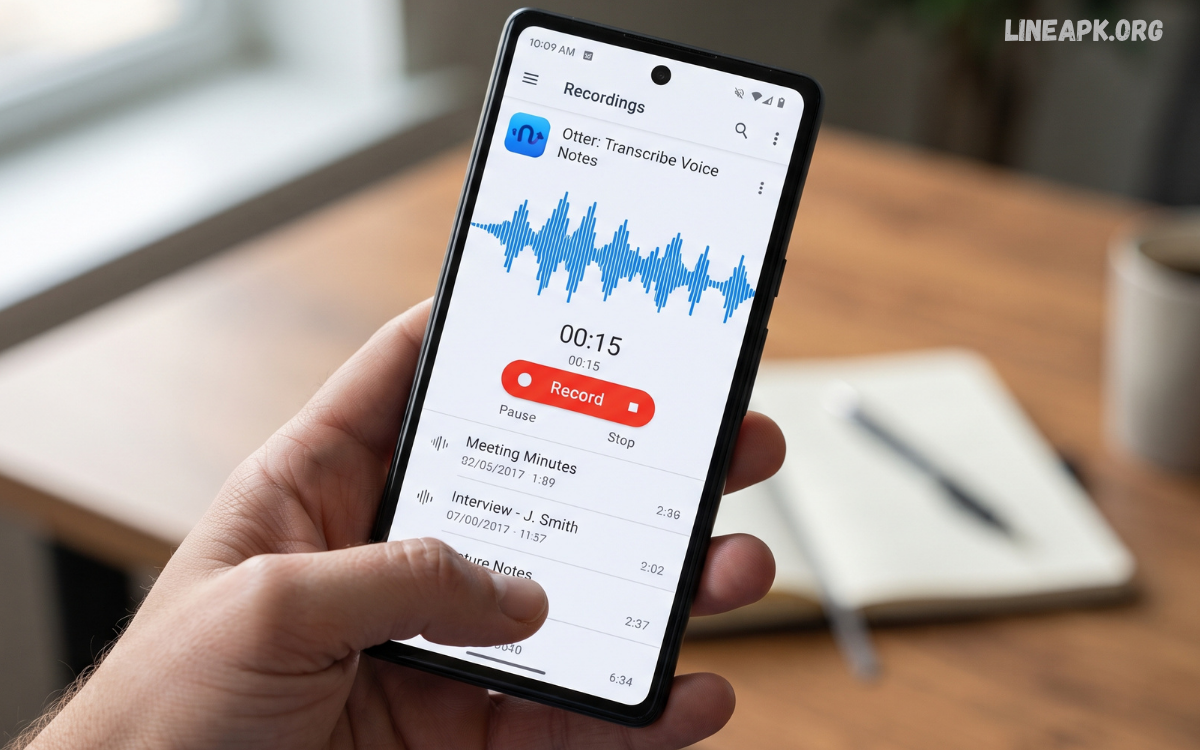
Smartphones have become powerful tools for recording high-quality audio, making dedicated recording devices less necessary for everyday users. Whether you want to record lectures, meetings, interviews, personal notes, music ideas, or important conversations, the right recording application can make the process simple and convenient.
Modern Android voice recorder applications offer much more than basic recording. Many apps provide noise reduction, multiple audio formats, background recording, cloud synchronization, trimming tools, playback controls, and easy file sharing.
What Are Voice Recorder Apps on Android?
Voice recorder apps are mobile applications designed to capture sound through an Android smartphone or tablet’s microphone. They convert incoming audio into digital files that can be played, edited, organized, stored, and shared.
The simplest applications provide a record and stop button, while advanced options can include audio-quality controls, file-format selection, noise reduction, editing tools, and automatic organization.
Why Use a Voice Recorder App on Android?
A smartphone is usually available when you need it, making it a practical recording device. Instead of carrying separate recording equipment, users can rely on their Android phone for many recording situations.
Voice recorder apps can be useful for:
- Recording classroom lectures
- Capturing interview audio
- Creating personal voice notes
- Recording meeting discussions
- Saving music or songwriting ideas
- Documenting presentations
- Practicing speeches
- Recording reminders
- Capturing audio for creative projects
- Keeping organized audio files
The convenience of mobile recording is one of the biggest reasons these applications remain popular.
Key Features to Look For
Choosing among different voice recorder apps Android options becomes easier when you know which features matter most.
High-Quality Audio Recording
Recording quality should be one of the first considerations. A capable app should allow your phone to capture clear and understandable sound without unnecessary distortion.
Some applications provide different quality settings, allowing you to choose between smaller files and higher-quality recordings.
Multiple Audio Formats
Different recording formats have different advantages. Common options may include formats such as MP3, WAV, AAC, or M4A.
Compressed formats generally require less storage, while higher-quality formats can preserve more audio detail. Your choice should depend on how you plan to use the recording.
Noise Reduction
Background noise can make recordings difficult to understand. Noise-reduction features can help improve clarity when recording in environments containing fans, traffic, conversations, or other unwanted sounds.
However, software cannot completely remove every background sound, so choosing a quiet recording environment remains important.
Pause and Resume
A pause function is particularly useful for lectures, interviews, and long recordings. Instead of creating multiple files, you can pause the recording and continue when needed.
This can make your audio library easier to manage.
Audio Editing
Basic editing tools can be extremely useful. Look for applications that allow you to trim unwanted sections, remove silence, or cut a recording into smaller clips.
Advanced editors may offer additional controls, but casual users often only need simple trimming and cutting features.
Easy File Management
A recording application should make it easy to rename, sort, search, and organize audio files.
Clear file names can save considerable time when you have dozens or hundreds of recordings stored on your phone.
Sharing Options
A useful recorder should make sharing straightforward. Depending on the application and Android version, recordings may be shared through messaging applications, email, cloud storage, or other supported services.
Best Uses for Voice Recorder Apps
Different users have different recording needs. Understanding your purpose can help you select an application with the right features.
For Students
Students can use recording apps to capture lectures and review important explanations later. Recordings can supplement written notes and help with revision.
Before recording a class or another person’s voice, make sure recording is permitted by the school, teacher, or applicable rules.
For Professionals
Professionals may use voice recording applications for meetings, brainstorming sessions, presentations, and personal reminders.
Clear audio and reliable file organization are especially valuable when recordings need to be reviewed later.
For Journalists and Interviewers
Interviewers need dependable recording applications capable of producing clear speech. A simple interface is helpful because it allows the user to focus on the conversation rather than complicated controls.
Always obtain appropriate permission before recording another person.
For Musicians
Musicians and songwriters can use their smartphones to capture melodies, lyrics, rhythms, and musical ideas before they forget them.
For professional music production, however, specialized recording equipment and software may provide greater control.
For Personal Notes
Voice notes are a convenient alternative to typing. You can quickly record an idea, reminder, shopping list, or personal thought while keeping your hands free.
How to Record Better Audio on Android
Even the best recording application cannot compensate for poor recording conditions. Following a few simple techniques can noticeably improve results.
Find a Quiet Location
Whenever possible, record away from traffic, loud conversations, air conditioners, fans, and other sources of background noise.
Keep the Phone Stable
Avoid constantly moving the smartphone during recording. Handling noise can become distracting, particularly when the microphone is sensitive.
Position the Microphone Correctly
Do not accidentally cover the phone’s microphone with your hand, case, or another object. Keep the device positioned appropriately for the sound source.
Test Before Long Recordings
Before starting a long lecture, interview, or presentation, make a short test recording. Play it back to confirm that the microphone is working and the volume is suitable.
Check Available Storage
Long recordings can consume significant storage space, particularly when using high-quality formats. Check your available storage before important recording sessions.
Keep Your Battery Charged
Recording can consume battery power over time. For long sessions, start with sufficient battery or use an appropriate power source.
Free vs. Premium Voice Recorder Apps
Many voice recorder apps Android users can find are available for free, while others provide premium versions.
Free applications can be perfectly suitable for basic recording. They commonly include essential recording and playback functions, although some may contain advertisements or restrict advanced features.
Premium applications may provide additional tools such as advanced editing, enhanced audio controls, cloud synchronization, automatic transcription, or expanded file-management capabilities.
The best choice depends on your requirements. If you only need occasional voice notes, a simple free application may be enough. If you frequently record professional audio, advanced features may justify choosing a premium option.
Privacy and Security Considerations
Privacy is an important factor when selecting any application that accesses your microphone.
Before installing a recorder, review the permissions it requests. A recording application generally needs microphone access to function, but you should understand why any additional permissions are required.
Read Also: Screen Recorder Apps for Android: Best Options for Recording Your Screen in 2026
How to Choose the Right Voice Recorder App
There is no single recorder that is perfect for everyone. Your ideal choice depends on how you plan to record and manage audio.
Consider these factors:
Recording quality: Choose an application that provides the level of audio quality you need.
Ease of use: A clean interface makes recording faster and less complicated.
File formats: Select an app supporting formats appropriate for your intended use.
Editing: Basic trimming can be useful for removing unwanted sections.
Storage: Check how recordings are saved and whether cloud backup is available.
Privacy: Review permissions and the application’s privacy practices.
Compatibility: Make sure the application works properly with your Android version.
Updates: Regular updates can indicate ongoing maintenance and compatibility improvements.
Voice Recorder Apps for Different Recording Needs
The best application can vary according to your situation.
For quick voice notes, prioritize simplicity and fast access to recording.
For lectures, look for long recording support, clear audio, and easy file organization.
For interviews, prioritize microphone quality, reliable recording, and straightforward file sharing.
For music ideas, consider applications offering higher-quality recording and convenient trimming.
For professional work, advanced audio controls, dependable storage, and strong privacy features may be more important.
Common Mistakes to Avoid
Several simple mistakes can reduce recording quality or cause unnecessary problems.
One common mistake is starting an important recording without testing the microphone. Another is failing to check storage space before a long session.
Benefits of Modern Android Recording Technology
Android smartphones continue to improve in processing power, microphone technology, storage capacity, and software capabilities. These developments make mobile recording increasingly practical.
Modern applications can combine recording with editing, organization, sharing, and other productivity features. Some may also integrate intelligent tools that help users manage or process audio more efficiently.
Frequently Asked Questions
What are the best voice recorder apps Android users can try?
The best app depends on your needs. Look for a recorder that offers clear audio, simple controls, reliable file management, and useful editing features.
Can I record high-quality audio on an Android phone?
Yes. Modern Android smartphones can produce clear recordings when paired with a suitable recording app and used in a quiet environment.
Are voice recorder apps free on Android?
Many voice recorder apps offer free versions with essential recording features. Some also provide optional premium features.
Can voice recorder apps record for a long time?
Many applications support extended recordings, but the maximum duration can depend on available storage, battery life, Android settings, and the specific app.
Which audio formats are commonly supported?
Common formats include MP3, WAV, AAC, and M4A. The available formats vary between applications.
Can I edit recordings on Android?
Yes. Many recording applications include basic tools for trimming, cutting, and remoxvving unwanted sections from audio files.
How can I improve voice recording quality?
Record in a quiet location, keep the smartphone stable, avoid covering the microphone, and position the device at a suitable distance from the speaker.
Do voice recorder apps require internet access?
Basic recording generally does not require an internet connection. However, features such as cloud backup, online synchronization, or some AI-powered tools may require internet access.
Are voice recorder apps safe to use?
Choose applications from reputable sources and review their permissions and privacy policies before installation. Avoid apps that request unnecessary permissions.
Can I share recordings from an Android phone?
Yes. Most modern recording apps allow saved audio files to be shared through supported messaging, email, cloud-storage, or file-sharing services.
Concluison
The growing selection of voice recorder apps Android users can choose from makes smartphones versatile tools for capturing audio. Whether you are a student recording educational material, a professional documenting ideas, a musician saving a creative concept, or simply someone who prefers voice notes, there is an application suited to your needs.
When choosing a recorder, focus on audio quality, ease of use, supported formats, editing capabilities, storage, privacy, and reliability. You do not necessarily need the most complicated application; the best option is the one that provides the features you actually need.
