

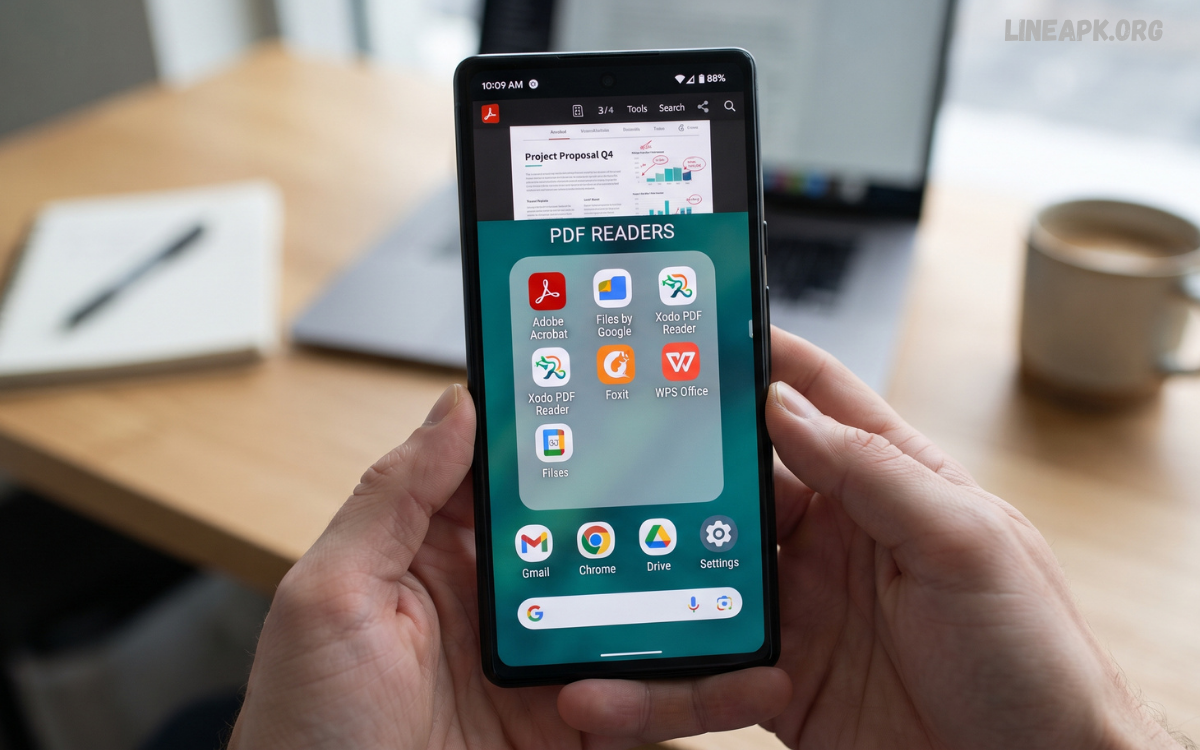
PDF documents have become an essential part of everyday digital life. From school assignments and business reports to eBooks, invoices, application forms, and official documents, people regularly use PDF files on smartphones.
The best PDF reader apps for Android offer more than basic document viewing. Modern applications include useful features such as text search, bookmarking, annotations, highlighting, document sharing, cloud synchronization, form filling, and file organization.
What Are PDF Reader Apps for Android?
PDF reader apps are mobile applications designed to open, view, and manage Portable Document Format files on Android smartphones and tablets. Instead of relying on a computer, users can access documents directly from their mobile devices.
Basic PDF readers allow users to open files, zoom into pages, search for specific words, and navigate between pages. More advanced applications provide additional tools for annotation, highlighting, commenting, signing, filling forms, and organizing documents.
Why Use a Dedicated PDF Reader on Android?
Android devices can often open PDF files through built-in applications or general file managers, but a dedicated PDF reader can provide a more complete experience.
A specialized application can offer faster navigation, better document rendering, advanced search, annotation tools, and improved file organization. These features are especially useful when working with lengthy documents.
Best Features to Look for in PDF Reader Apps for Android
When choosing a PDF application, it is important to consider the features that match your daily needs.
Fast PDF Viewing
A good PDF reader should open documents quickly and display pages accurately. Smooth performance becomes particularly important when opening large files containing images, charts, or multiple pages.
Search Function
A built-in search tool allows users to find specific words or phrases without manually going through every page. This feature can save considerable time when working with long documents.
Zoom and Navigation
Flexible zoom controls make it easier to read small text. Page thumbnails, bookmarks, and quick navigation tools can also make lengthy PDFs easier to explore.
Annotation Tools
Many modern readers allow users to highlight text, underline important information, draw on pages, or add comments. These tools are especially useful for students and professionals.
PDF Form Filling
Some PDFreader apps Android provide form-filling functionality. Users can enter information into supported PDF forms directly from their smartphones instead of printing the documents.
Digital Signatures
Advanced PDF applications may include electronic signature features. This can be convenient when documents need to be reviewed or signed digitally.
Cloud Integration
Cloud integration allows users to access documents stored on services such as Google Drive and other supported platforms. Synchronization can make it easier to continue working across multiple devices.
File Organization
A useful PDF application should make it simple to find recently opened files and organize documents. Folders, favorites, and recent-file lists can improve document management.
Best PDF Reader Apps Android Users Can Consider
Adobe Acrobat Reader
Adobe Acrobat Reader is one of the most recognized PDF applications available for Android. It provides a familiar interface and supports essential PDF reading features.
Users can open documents, search for text, zoom into pages, and navigate through files. Depending on the available features and subscription plan, Acrobat can also provide tools for annotation, document editing, form completion, and signing.
Read Also: Voice Recorder Apps for Android: Best Options for Clear and Easy Audio Recording
Google Drive PDF Viewer
Google Drive can be convenient for Android users who already store documents in Google’s cloud ecosystem. PDF files stored in Drive can be opened directly from a smartphone.
Its biggest advantage is convenience. Users can access documents across supported devices and keep files organized within their cloud storage.
Foxit PDF Editor
Foxit PDF Editor is another popular solution for mobile PDF management. It focuses on document reading while also offering productivity features for users who need more than basic viewing.
Depending on the version and available plan, users can access annotation, form, signing, and document-management capabilities.
Xodo PDF Reader & Editor
Xodo is known for combining PDF reading and productivity tools in a mobile-friendly interface. It can be useful for students, professionals, and users who frequently annotate documents.
Features may include highlighting, comments, drawing, form filling, and document organization. Its focus on interactive PDF work makes it suitable for people who want to actively work with documents rather than simply read them.
WPS Office
WPS Office is a broader productivity application that supports multiple document formats, including PDF files. This can make it useful for users who want a single application for documents, spreadsheets, presentations, and PDFs.
Its PDF-related capabilities can include viewing, conversion, annotation, and other document functions depending on the version.
Free vs. Premium PDF Reader Apps
Many PDF reader applications use a freemium model. Basic reading features are often available without payment, while advanced functions may require a subscription or one-time purchase.
Free applications can be sufficient for users who only need to open and read PDFs. If you regularly edit documents, fill forms, sign files, or use advanced conversion tools, a premium option may provide better functionality.
How to Choose the Right PDF Reader for Android
Choosing a PDF reader should begin with your personal requirements. If you only read documents occasionally, prioritize speed, simplicity, and a clean interface.
Students should consider applications with highlighting, annotation, bookmarks, and note-taking features. Professionals may benefit from form filling, digital signatures, cloud synchronization, and document organization.
PDF Reader Apps for Students
PDF files are increasingly common in education. Digital textbooks, lecture notes, research papers, assignments, and study materials can all be distributed as PDFs.
A good reader can make studying more convenient by allowing students to highlight important passages, bookmark pages, and search for specific terms. Annotation features can also help organize information without printing large numbers of pages.
PDF Reader Apps for Professionals
Professionals often need to review business documents while away from their computers. PDF applications can make it possible to read reports, contracts, invoices, presentations, and forms from a smartphone.
Features such as cloud synchronization, annotation, document sharing, form filling, and electronic signatures can improve productivity.
Tips for Managing PDF Files on Android
Keeping PDF documents organized can make them much easier to access later. Create separate folders for categories such as work, education, personal documents, and reference materials.
Delete duplicate or outdated files regularly to prevent unnecessary storage usage. Use meaningful filenames so important documents can be identified quickly.
Are PDF Reader Apps Safe?
PDF reader applications can be safe when downloaded from reputable sources and kept updated. However, users should avoid installing applications from unknown websites simply because they advertise premium features for free.
Check the application’s developer, reviews, permissions, and update history before installation. Keep Android and installed applications updated to benefit from security improvements.
Advantages of PDF Reader Apps Android
The biggest advantage of PDF reader apps on Android is convenience. Users can carry thousands of pages in their smartphones without needing physical documents.
Other benefits include quick access, text searching, digital annotation, document sharing, cloud synchronization, and improved productivity.
Limitations to Consider
Not every PDF reader provides the same functionality. Some free applications may contain advertisements or limit advanced tools. Editing capabilities can also vary significantly between applications.
Large PDF files may require considerable storage and processing power, particularly when they contain high-resolution images. Some advanced features may require an internet connection or a paid subscription.
Frequently Asked Questions
What are PDF reader apps Android users can use?
PDF reader apps Android users can install are applications designed to open, read, search, annotate, and manage PDF documents directly on smartphones and tablets.
Which PDF reader is best for Android?
The best PDF reader depends on your requirements. Adobe Acrobat Reader, Foxit PDF Editor, Xodo, and other established applications offer different combinations of reading, annotation, editing, and document-management features.
Can I read PDF files without an internet connection?
Yes. Many PDF reader apps allow you to download or store PDF files on your device and read them offline.
Are PDF reader apps free on Android?
Many PDF readers offer free basic features. Advanced functions such as editing, conversion, electronic signatures, or additional cloud features may require a premium plan.
Can PDF reader apps edit documents?
Some advanced PDF applications support editing features, while basic readers are primarily designed for viewing and navigation.
Can I highlight text in a PDF on Android?
Yes. Many modern PDF applications provide highlighting, underlining, drawing, and commenting tools.
Can I fill out PDF forms on my Android phone?
Yes. Some PDF applications support interactive form filling, allowing users to enter information directly into compatible PDF forms.
Can I sign PDF documents on Android?
Some PDF reader and editor applications provide electronic-signature functionality, allowing users to sign supported documents from their mobile devices.
How can I organize PDF files on Android?
You can organize PDF files using folders, file managers, cloud storage, favorites, and the document-management features available in your chosen PDF application.
Are PDF reader apps safe to use?
PDF reader applications from reputable developers and trusted app stores are generally safer choices. Always review permissions, keep applications updated, and avoid opening suspicious PDF files from unknown sources.
Concluison
PDF reader applications have become important productivity tools for Android users. Whether you need to read an eBook, study digital notes, review a business report, complete a form, or annotate an important document, the right application can make the process faster and more convenient.
The best PDF reader apps for Android offer a combination of reliable performance, useful document tools, simple navigation, and secure file management. Adobe Acrobat Reader, Google Drive, Foxit PDF Editor, Xodo, and WPS Office are among the options users can explore depending on their requirements.
