

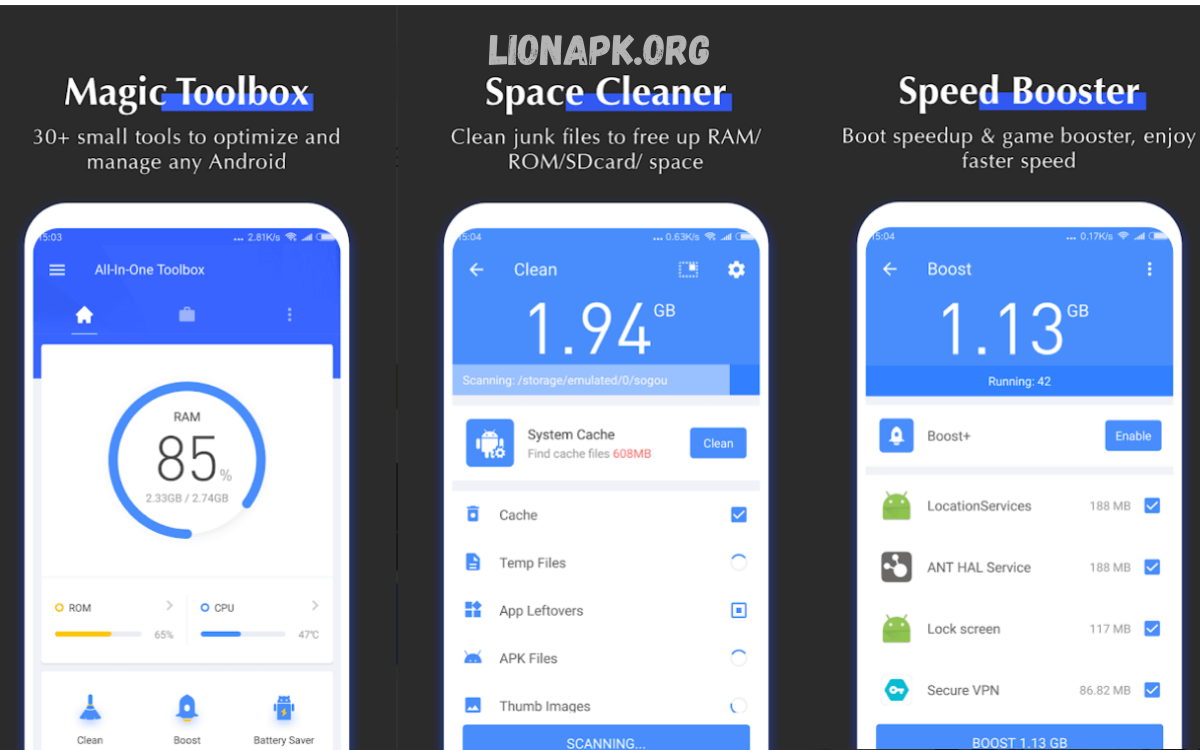
Android devices continue to handle increasingly complex applications, high-resolution media, and intensive multitasking demands. Over time, these operations generate residual files, cache, duplicate data, and unnecessary background processes, leading to storage congestion, slower performance, and reduced battery efficiency.
Modern cleaner apps go beyond simple cache removal. They provide comprehensive storage management, memory optimization, and performance monitoring. Users can automate cleaning routines, identify large or duplicate files, hibernate unused applications, and monitor battery-intensive processes.
Importance of Android Cleaner Apps 2025
Modern Android devices incorporate sophisticated storage and memory management, but cumulative junk files, residual caches, duplicate media, and background applications create performance bottlenecks. Android Cleaner Apps 2025 offer the following benefits:
- Storage Optimization: Identifies and removes temporary files, duplicate images, unused downloads, and residual app data.
- Memory Management: Frees RAM by hibernating unused applications, improving multitasking capabilities.
- Battery Performance: Optimizes background processes, reducing battery drain caused by idle apps.
- Application Organization: Monitors storage usage, identifies rarely used apps, and simplifies uninstallation processes.
- Device Longevity: Regular cleaning prevents storage overload, overheating, and sluggish response times.
Given these advantages, integrating a reliable cleaner app into regular device maintenance routines ensures seamless Android performance.
Top Android Cleaner Apps 2025
Files by Google
Files by Google combines storage management with innovative cleaning tools. This lightweight, ad-free app removes cache, identifies duplicate files, and offers easy file organization. Its intuitive interface allows users to free up storage with minimal effort. This app prioritizes safety and reliability, making it ideal for users seeking effective cleaning without unnecessary permissions.
Key Features: Junk file detection, duplicate removal, offline file sharing, and easy navigation.
CCleaner
CCleaner remains a trusted option for system cleaning and performance management. It removes residual files, optimizes storage, and provides a comprehensive overview of installed applications. Users can schedule cleanups and track storage consumption efficiently.
Key Features: Cache clearing, app management, automated cleaning, and performance monitoring.
AVG Cleaner
AVG Cleaner combines junk removal with advanced performance optimization. It hibernates idle apps, extends battery life, and automatically identifies unnecessary files. This app suits users who require both cleanup and enhanced device efficiency.
Key Features: Battery saver, auto-clean scheduler, junk file removal, app hibernation.
Avast Cleanup & Boost
Avast Cleanup & Boost focuses on comprehensive device optimization. It scans for redundant files, manages large images, and hibernates memory-intensive applications. Its automated cleanup options make it convenient for users seeking hands-off maintenance.
Key Features: Storage analyzer, app hibernation, automatic junk removal, photo cleanup.
Read Also: Best Note-Taking Apps 2025 – Top Tools for Productivity, Study, and Research
Norton Clean
Norton Clean delivers secure, efficient cleaning. It identifies residual cache files and safely removes unnecessary data without affecting critical applications. Norton’s reputation in security ensures users maintain device integrity while optimizing performance.
Key Features: Cache removal, residual file management, secure cleaning, and simplified interface.
SD Maid
SD Maid targets advanced users requiring in-depth system cleaning. It locates leftover files, optimizes databases, and provides detailed storage analysis. SD Maid excels in uncovering hidden system files and residual data that typical cleaners may overlook.
Key Features: Leftover file detection, database optimization, storage overview, customizable cleaning options.
Droid Optimizer
Droid Optimizer emphasizes simplicity and efficiency. With one-tap cleaning, memory-boosting, and privacy-protection features, it suits users seeking a straightforward solution. Scheduled cleanups maintain consistent performance without manual intervention.
Key Features: One-tap cleaning, memory boost, privacy protection, automated scheduling.
1Tap Cleaner
1Tap Cleaner focuses on minimalism and functionality. It clears app cache, call logs, and history efficiently. Its widget-based interface allows quick cleaning actions without navigating through multiple menus.
Key Features: Cache clearing, history and log removal, lightweight interface, rapid execution.
Choosing the Right Android Cleaner App 2025
Selecting an optimal cleaner app requires evaluating safety, efficiency, and compatibility:
- Safety: Applications should avoid excessive permissions and provide secure cleaning without risking critical data.
- Efficiency: The app must remove junk files effectively while improving device performance.
- Automation: Scheduled cleanups and automatic memory optimization enhance user convenience.
- Compatibility: Apps should function seamlessly across Android versions without causing crashes or storage conflicts.
- User Experience: Intuitive interfaces and straightforward workflows improve accessibility for all users.
For everyday users, Files by Google and CCleaner offer reliability and safety. Power users benefit from SD Maid or Avast Cleanup, which provide detailed system analysis and advanced cleaning options. Users prioritizing battery life and performance should consider AVG Cleaner or Droid Optimizer.
Best Practices for Android Device Maintenance
Even with powerful cleaner apps, regular maintenance habits enhance device longevity:
- Regular Cleanup: Schedule weekly or biweekly cleaning to remove residual files.
- App Management: Uninstall unused applications and avoid installing apps from untrusted sources.
- Storage Monitoring: Monitor storage trends to prevent overloading memory with large files or media.
- Battery Optimization: Enable built-in Android battery saver features alongside cleaner app optimization.
- System Updates: Keep the Android OS and applications up to date to ensure compatibility with cleaning tools.
Integrating these habits with a trusted Android Cleaner App 2025 maximizes device performance and user experience.
Frequently Asked Questions
What are Android Cleaner Apps 2025?
Android Cleaner Apps 2025 are software tools designed to remove junk files, manage storage, optimize memory, and improve overall device performance on Android smartphones and tablets.
Do cleaner apps really improve device speed?
Yes. Cleaner apps remove residual files, caches, and unnecessary background processes, freeing up memory and storage and resulting in faster app launches and smoother multitasking.
Are Android Cleaner Apps 2025 safe to use?
Most reputable cleaner apps, such as Files by Google, CCleaner, and SD Maid, are safe. Users should avoid apps with excessive permissions, intrusive ads, or unverified sources.
Can cleaner apps save battery life?
Yes. Many apps identify and hibernate battery-draining background applications, reducing power consumption and extending battery life.
Do these apps delete essential files?
Reputable apps provide options to review files before deletion, minimizing the risk of removing essential data. Always double-check suggested deletions.
How often should I use a cleaner app?
Using a cleaning app once a week, or enabling automated scheduling, ensures consistent performance without excessive interference.
Can these apps remove duplicate files and photos?
Yes. Many cleaner apps include features to identify duplicate media, documents, and downloads, freeing significant storage space.
Conclusion
Android Cleaner Apps 2025 have evolved to address modern performance challenges, storage congestion, and battery inefficiency. With options ranging from lightweight solutions like Files by Google to advanced tools like SD Maid, users can customize cleaning strategies to suit personal requirements. Prioritizing security, efficiency, and automation ensures consistent device optimization.
Adopting the proper cleaner app in 2025 guarantees a seamless, efficient, and organized Android experience, making these tools indispensable for users seeking peak device performance.
