

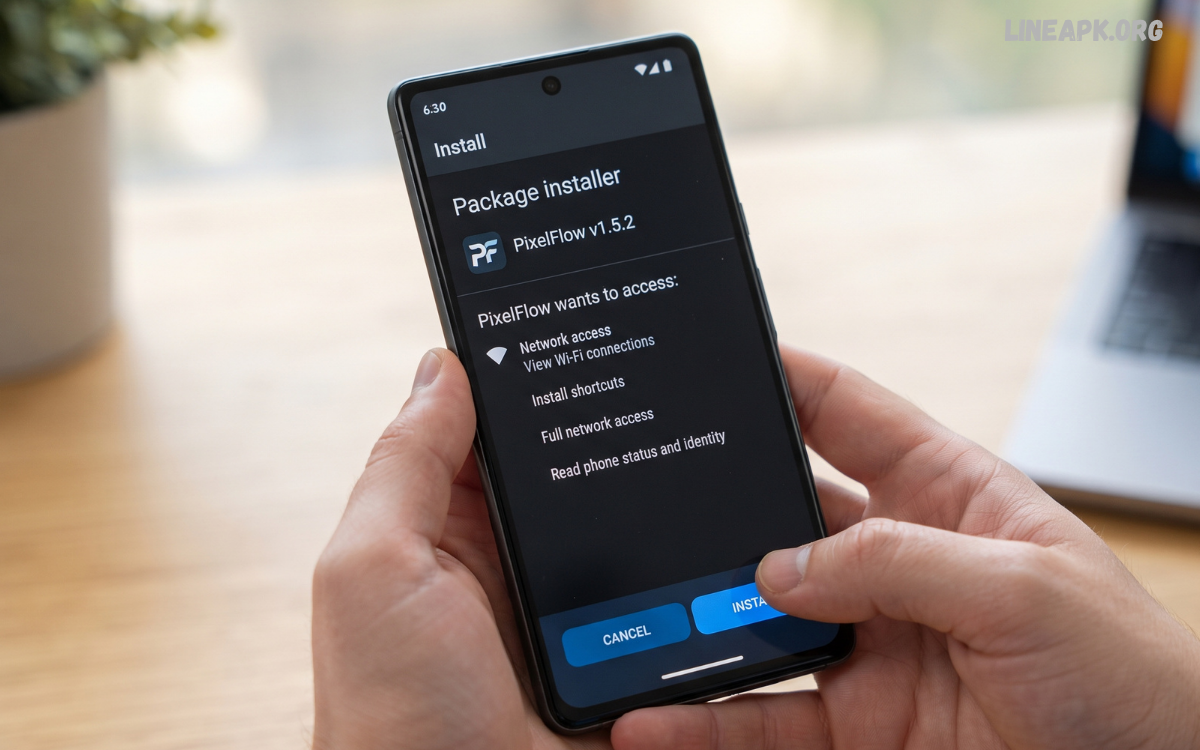
An APK installer Android tool provides a convenient way to install Android application packages that may not be available through the Google Play Store. APK stands for Android Package Kit, the standard file format used to distribute and install applications on Android devices.
Understanding how an APK installer works can help Android users manage application files more effectively. Modern Android versions include built-in security features that examine applications before installation, while some dedicated installer tools provide additional functions such as batch installation, APK file management, and support for different package formats.
What Is an APK Installer Android Tool?
An APK installer Android tool is an application or built-in Android function that helps install APK files on a smartphone or tablet. An APK contains the components required for Android to install an application, including its program files, resources, and configuration information.
When an APK is opened, Android checks the package and, depending on the device’s security settings and Android version, asks for confirmation before installation. Once the installation process is completed, the application normally appears alongside other installed apps.
Why Use an APK Installer?
There are several legitimate reasons someone might use an APK installer Android solution.
Installing Apps From Trusted Developers
Developers sometimes distribute test versions of applications directly to users. An APK installer makes it possible to install these legitimate packages without waiting for a traditional app-store release.
Testing Applications
Android developers, testers, and enthusiasts may need to install different application builds during development. APK installation provides a straightforward way to test specific versions.
Accessing Previous Versions
In some situations, a developer may provide an earlier version of an application for compatibility or testing purposes. Installing an older package can be useful when it comes from a trustworthy source and is compatible with the device.
Managing APK Files
Users who regularly download legitimate APK packages may prefer an installer with file-management capabilities. This can make it easier to locate packages and review their information before installation.
How APK Installation Works on Android
The basic APK installation process is relatively simple, although the exact menus vary between Android manufacturers and versions.
First, the user obtains an APK file from a trusted source. The file is then opened through a file manager or download location. Android identifies the file as an application package and displays an installation prompt if the package is compatible.
Important Features of a Good APK Installer
Not every APK installer offers the same functionality. If you are evaluating an installer, several features are worth considering.
Simple Interface
A clear interface makes it easier to locate APK files, inspect them, and begin installation without unnecessary steps.
Package Information
A useful installer should make it possible to identify information such as the application name, version, package identifier, and requested permissions where available.
Installation Management
Advanced tools may provide options for managing installed packages and identifying APK files stored on the device.
Compatibility Support
Android applications can be affected by Android version, processor architecture, package format, and other technical requirements. A reliable installer should clearly report compatibility problems rather than attempting an installation blindly.
Security Awareness
Security is one of the most important considerations. An installer should not be treated as proof that an APK is safe. The source and authenticity of the APK remain critical.
How to Install an APK on Android
The following general process works for many modern Android devices.
Step 1: Obtain the APK From a Trusted Source
Download the APK only from a legitimate developer, recognized distribution platform, or another source you trust. Avoid unfamiliar websites that make unrealistic claims or require suspicious downloads.
Step 2: Locate the File
Open your device’s file manager or download folder and find the APK file. Check that the filename and application details correspond to the software you intended to download.
Step 3: Review Installation Permissions
Android may display a security message when an APK originates outside an approved app store. Follow the system’s instructions and review the source permission carefully.
Step 4: Start the Installation
Open the APK and review the application information shown by Android. If everything appears correct, select the installation option.
Step 5: Complete the Process
Wait for Android to finish installing the application. Once completed, you can launch it from the app list.
Step 6: Disable Unnecessary Installation Permissions
If you temporarily enabled permission for an application to install unknown apps, consider disabling that permission afterward. This reduces the number of applications that can initiate external installations.
Read Also: New Android Apps 2026: Discover the Latest Apps You Should Try
APK Installer Android and Security
Security should always be a priority when dealing with APK files. Unlike applications obtained through an official app store, APK files from random websites may not have undergone the same distribution and security checks.
A malicious or modified APK can potentially contain unwanted software, excessive permissions, or other security risks. Installing an application from an unknown source can therefore expose personal information and device resources.
Before installing an APK, consider the following:
- Download from a reputable source.
- Verify the developer or publisher.
- Check the application’s version and package information.
- Review requested permissions.
- Keep Android and Google security services updated.
- Avoid modified or suspicious packages.
- Do not install files received from unknown individuals or websites.
- Remove applications you no longer trust or need.
An APK installer simply handles installation. It does not automatically make an APK trustworthy.
APK Files vs Google Play Store Apps
The main difference between manually installing an APK and using the Google Play Store is the distribution process.
The Play Store provides an integrated environment for discovering, downloading, updating, and managing applications. It also provides information about developers, ratings, permissions, and other application details.
Common APK Installation Problems
Sometimes an APK may fail to install. Several common issues can cause this problem.
App Not Compatible
An application may require a newer Android version or a particular hardware architecture. In such cases, the device may reject the package.
Corrupted APK
If the APK was incompletely downloaded or damaged, Android may not be able to process it correctly. Downloading the legitimate package again can resolve the issue.
Insufficient Storage
Android needs enough free storage to install and operate applications. Removing unnecessary files or applications may help when storage is low.
Conflicting Application
An APK may conflict with an existing installation, particularly when package signatures or application versions differ. Removing an incompatible version may be necessary, but important app data should be considered before doing so.
Unsupported Package Format
Some modern Android applications are distributed using formats that contain multiple APK components rather than one traditional APK file. A basic installer may not handle every package format correctly.
APK Installer Tools and Split APK Packages
Some Android applications use split packages to deliver resources optimized for a particular device. Instead of containing everything in one APK, an application may be divided into multiple related packages.
This can create problems when users attempt to install only one component. A suitable installation method may be required to handle the complete package correctly.
Keeping Installed Apps Updated
Installing an APK manually does not always provide the same automatic update experience as an official app store.
If an application was installed from a trusted developer’s website, check that developer’s official update process regularly. Do not replace a legitimate application with an unknown package simply because it claims to be a newer version.
Best Practices for APK Installation
Following a few simple habits can make APK installation considerably safer.
Use trusted sources: The source of an APK is more important than the installer itself.
Check permissions: If an application requests permissions that appear unrelated to its purpose, investigate before continuing.
Keep your device updated: Security updates can address vulnerabilities that affect Android devices and applications.
Maintain sufficient storage: Installation failures can occur when the device has very little free space.
Back up important information: Before installing unfamiliar software, make sure important personal data is backed up.
Avoid suspicious modifications: Modified applications can introduce additional security and privacy risks.
Review applications regularly: Remove software that you no longer use or no longer trust.
Frequently Asked Questions
What is an APK installer Android tool?
It is a tool or Android system function used to install application packages in APK format on compatible Android devices.
Is installing an APK safe?
It can be safe when the APK comes from a trustworthy source and the application is legitimate. Files from unknown sources can create security risks.
Can every Android phone install APK files?
Most modern Android devices support APK installation, but security settings, Android versions, device policies, and application compatibility can affect the process.
Why won’t my APK install?
Possible causes include an incompatible Android version, a corrupted file, insufficient storage, a conflicting application, or an unsupported package format.
Does an APK installer make an APK safe?
No. An installer handles the installation process but does not guarantee that the application itself is trustworthy.
Should I use an APK from an unknown website?
It is better to avoid APK files from unknown or suspicious websites. Use official developers or reputable distribution sources whenever possible.
Can APK installation remove my existing app?
Depending on the package and installation situation, an update may replace an existing version. Conflicting packages may require additional steps.
Can I uninstall an APK-installed application?
Yes. Once installed, an application can generally be managed and uninstalled through Android’s normal application settings.
Are APK files only for Android phones?
APK is an Android application package format, primarily designed for Android-based systems and compatible environments.
Do manually installed APKs update automatically?
Not necessarily. Updates depend on how the application was distributed and whether an appropriate update mechanism is available.
Conclusion
An APK installer Android solution can be useful for installing legitimate application packages, testing software, managing APK files, and accessing applications distributed outside traditional app stores. However, the installation process itself is only one part of the equation. The most important consideration is the reliability and authenticity of the APK being installed.
Android users should download applications from trusted sources, review permissions, maintain current security updates, and avoid suspicious or modified packages. Understanding compatibility, package formats, installation permissions, and common errors can also make the process smoother.
