

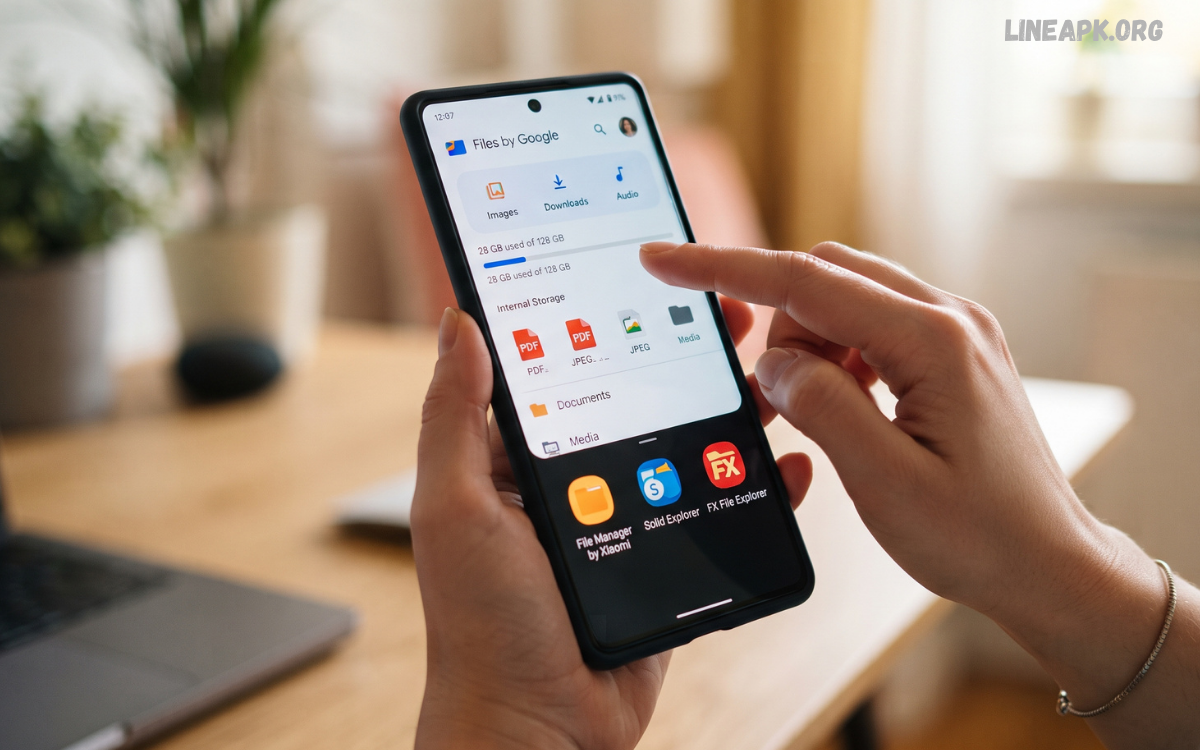
Managing files on a smartphone has become an essential part of everyday Android use. Whether you download documents, save photos, transfer videos, install applications, or store work-related files, having an efficient way to organize everything can make your device much easier to use.
Modern file management applications offer much more than basic folder browsing. Many now include storage analysis, cloud integration, archive support, media previews, file searching, duplicate detection, and secure storage features.
What Are File Manager Android Apps?
File manager Android apps are applications designed to help users access, organize, and manage files stored on their Android devices. They provide an interface through which users can browse internal storage, memory cards, downloads, documents, images, videos, and other folders.
Instead of searching through different applications to locate individual files, a file manager brings much of your stored content into one place. Depending on the application, you may be able to copy, move, rename, delete, compress, extract, share, and organize files with just a few taps.
Why Use a File Manager on Android?
A good file manager can make everyday smartphone management significantly easier. Android users frequently accumulate screenshots, downloaded documents, videos, installation packages, images, and temporary files. Without proper organization, finding specific content can become frustrating.
File managers provide several practical benefits:
- Quickly locate files and folders
- Organize documents into categories
- Move files between folders
- Rename multiple files
- Delete unwanted content
- Share files with other devices
- Browse external storage
- Compress and extract archives
- Connect to cloud storage
- Analyze available storage
- Search for specific files
These features can save time and help maintain a cleaner and more organized smartphone.
Key Features to Look For
Not every file manager offers the same tools. Before installing an application, consider the features that are most useful for your needs.
Easy File Browsing
An intuitive interface should make it simple to navigate folders and locate files. A good application should clearly display common categories such as images, videos, documents, downloads, and applications.
Powerful Search
A search function is especially useful when your smartphone contains thousands of files. Look for apps that allow you to search by filename, file type, or location.
Copy and Move Tools
Reliable copy and move functionality makes organizing files easier. You should be able to transfer files between folders without complicated procedures.
Storage Analysis
Storage analysis tools show what is consuming space on your device. They can help identify large videos, unnecessary downloads, duplicate files, and other content that may no longer be needed.
Archive Support
Some file manager applications support ZIP and other common archive formats. This allows users to compress multiple files into one package or extract files from an existing archive.
Cloud Integration
Cloud support can make it easier to access files stored on services such as Google Drive or other supported platforms. This is particularly useful for people who regularly work across multiple devices.
File Sharing
Built-in sharing options allow users to send documents, images, videos, and other files through supported applications. Some advanced file managers also support local network transfers.
Best Uses for File Manager Android Apps
File managers are useful for many everyday tasks. Understanding their capabilities can help you get more value from your Android device.
Organizing Downloads
The Downloads folder can quickly become crowded. A file manager allows you to review downloaded content and move important files into dedicated folders.
For example, you can create separate folders for schoolwork, documents, photos, videos, and personal projects. This makes future searches much easier.
Read Also: APK Installer Android: Complete Guide to Installing APK Files Safely
Managing Photos and Videos
Modern smartphones can store thousands of images and videos. A file manager can help users locate media folders, move large files, rename content, and remove unnecessary copies.
However, important photos should be backed up before deleting them.
Managing Documents
Students, professionals, and other users often download PDFs, presentations, spreadsheets, and text documents. A file manager provides a central location for organizing these files.
Creating folders based on subjects, projects, or categories can make document management more efficient.
Freeing Storage Space
Storage management is one of the most useful features offered by modern file managers. Some applications can identify large files and categories that consume significant amounts of storage.
Before deleting anything, always check the file carefully. Some system or application files may be important for your device or apps to function correctly.
File Manager Apps and Privacy
Privacy is an important consideration when choosing a file management application. A file manager may need access to files and folders on your smartphone, so users should pay attention to permissions.
Only install applications from reputable sources and review the permissions requested during installation. If an app requests access that does not appear necessary for its main function, consider whether you actually need it.
Built-In vs Third-Party File Managers
Many Android smartphones already include a built-in file management tool. For basic tasks such as browsing downloads, opening documents, and moving files, the default application may be sufficient.
Third-party file managers can be useful when you need additional capabilities. These may include advanced search, storage visualization, cloud integration, archive management, network access, or enhanced organization tools.
How to Choose the Right File Manager
Choosing among the many available file manager Android apps can be challenging. Start by identifying the features you actually need.
If simplicity is your priority, choose an application with a clean interface and straightforward navigation. If you regularly manage large files, storage analysis and powerful search should be important considerations.
Tips for Better Android File Management
A few simple habits can make smartphone storage easier to manage.
Create Organized Folders
Instead of keeping everything in Downloads, create folders based on file type or purpose. A simple folder structure makes future searches faster.
Remove Unnecessary Files
Regularly review old downloads, duplicate media, and files you no longer need. This can help maintain available storage.
Keep Important Files Backed Up
Important documents and irreplaceable photos should not exist in only one location. Consider using a trusted backup or cloud storage service.
Use Clear File Names
Descriptive filenames make searching easier. Instead of using generic names, use meaningful names that indicate what each document contains.
Avoid Deleting Unknown Files
Not every unfamiliar file is unnecessary. Before deleting something, check its location and file type. When in doubt, leave it alone until you understand what it is.
Are File Manager Android Apps Safe?
File manager applications can be safe when obtained from reputable sources and used responsibly. However, users should always consider privacy, permissions, developer reputation, and application reviews before installation.
Avoid downloading file management tools from suspicious websites or installing modified applications from unknown sources. Such files may expose your device to security and privacy risks.
File Management for Different Types of Users
Different users have different file management requirements.
Students may need to organize assignments, PDFs, presentations, notes, and educational resources. Professionals might manage work documents, spreadsheets, presentations, and project files.
Common Mistakes to Avoid
One common mistake is deleting files simply because they appear unfamiliar. Some files belong to applications or Android processes and should not be removed without understanding their purpose.
Another mistake is keeping everything in one folder. Even if you have plenty of storage, poor organization can make important files difficult to find.
Future of File Management on Android
File management is likely to become increasingly intelligent as Android applications adopt more automation and artificial intelligence features. Future tools may provide smarter file categorization, improved duplicate detection, natural-language search, and more efficient storage recommendations.
Cloud synchronization and cross-device access are also becoming increasingly important. Users expect their documents, photos, and other content to remain accessible across smartphones, tablets, and computers.
Frequently Asked Questions
What is a file manager Android app?
A file manager Android app helps you browse, organize, move, rename, copy, delete, and share files stored on your Android device.
Why do I need a file manager on Android?
A file manager makes it easier to organize downloads, documents, photos, videos, and other files while helping you find content quickly.
Are file manager Android apps safe?
Most reputable file managers can be safe, but you should check the developer, permissions, privacy practices, and download source before installing one.
Can a file manager free up storage?
Yes. Many file managers include storage analysis tools that help identify large, unnecessary, or duplicate files that may be taking up space.
Can I manage photos and videos with a file manager?
Yes. You can browse media folders, move files, rename them, organize them into folders, and delete unwanted content.
Can file managers open ZIP files?
Many modern file manager apps support common archive formats such as ZIP, allowing you to extract or create compressed files.
Can I transfer files using a file manager?
Yes. Depending on the application, you may be able to transfer files between folders, storage devices, computers, or supported cloud services.
Are third-party file managers better than built-in tools?
It depends on your needs. Built-in tools are often sufficient for basic tasks, while third-party options may provide advanced search, storage analysis, archive support, and cloud integration.
How can I keep my Android files organized?
Create folders based on categories, use descriptive filenames, regularly remove unnecessary downloads, and back up important files.
What should I check before installing a file manager?
Check its features, permissions, privacy policy, developer reputation, performance, user reviews, and download source before installing it.
Conclusion
File manager Android apps have become valuable tools for anyone who wants better control over smartphone storage. From organizing downloads and documents to managing photos, analyzing storage, and transferring files, a capable file manager can simplify many everyday tasks.
When choosing a file manager, focus on practical features such as search, folder management, storage analysis, file sharing, archive support, and cloud integration. Privacy and security should also be important considerations, particularly because file managers can access personal content.
