

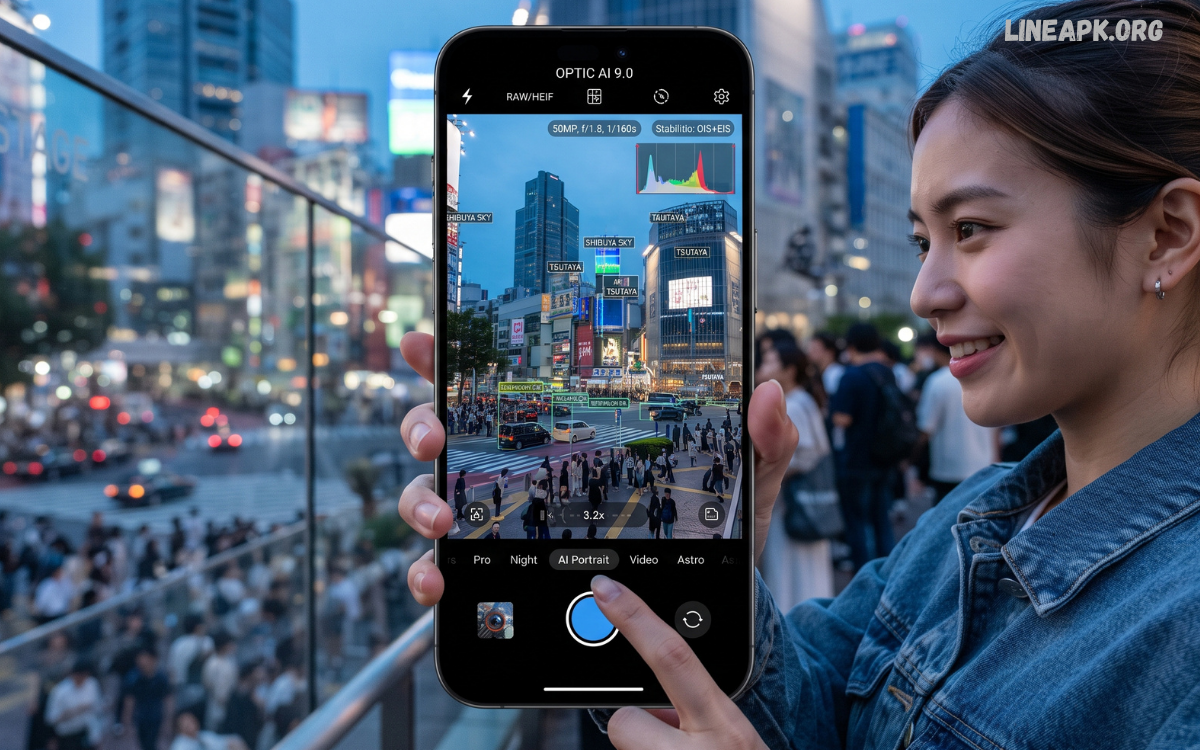
The latest camera apps in 2026 are transforming smartphone photography with powerful AI features, professional manual controls, real-time image enhancement, and advanced editing tools. Modern Android devices already include impressive camera hardware, but the right camera application can unlock even greater potential.
Artificial intelligence has become the biggest trend in mobile photography. Many of the latest camera apps automatically optimize lighting, improve portrait quality, remove unwanted objects, reduce image noise, and capture sharper photos in challenging conditions.
Why Do Camera Apps Matter in 2026?
Smartphone photography continues to evolve rapidly. Software now plays an equally important role as hardware. Even phones with mid-range cameras can produce impressive images when paired with advanced camera applications.
Modern camera apps offer:
- AI scene recognition
- Professional manual controls
- RAW image capture
- HDR photography
- Portrait mode improvements
- Night photography
- Real-time filters
- Beauty enhancements
- Cloud backup integration
- High-quality video recording
These features help users create professional-looking content without purchasing expensive photography equipment.
Features to Look for in the Latest Camera Apps
Artificial Intelligence
AI technology automatically adjusts exposure, contrast, saturation, focus, and white balance according to the scene. This allows users to capture better photos with minimal effort.
Manual Camera Controls
Professional users often require complete control over photography settings.
Essential manual controls include:
- ISO
- Shutter speed
- White balance
- Focus
- Exposure compensation
- Focus peaking
These settings provide greater creative flexibility.
RAW Photography
RAW files preserve more image data than JPEGs. They are ideal for professional editing because they retain greater detail and dynamic range.
HDR Photography
High Dynamic Range combines multiple exposures into one image, improving detail in both shadows and highlights.
Night Mode
Night photography continues to improve in 2026. Advanced algorithms reduce noise while preserving natural colors and fine details.
Video Recording Features
The latest camera apps include:
- 4K recording
- 8K support on premium devices
- Slow motion
- Time-lapse
- Hyperlapse
- Cinematic stabilization
- Audio enhancement
- Manual video controls
Benefits of Using the Latest Camera Apps
Installing an advanced camera application provides several advantages.
Better Image Quality
Improved processing creates sharper, brighter, and more colorful photos.
Professional Controls
Manual settings give photographers complete creative freedom.
Improved Selfies
AI beauty features create natural skin tones while preserving facial details.
Better Low-Light Performance
Night mode significantly improves photography in dark environments.
Enhanced Portrait Photography
Advanced background blur creates DSLR-like portrait images.
Creative Photography
Modern filters, overlays, and effects help users create unique visual content.
Best Categories of Camera Apps
AI Camera Apps
These apps automatically recognize scenes and optimize camera settings.
Ideal for:
- Beginners
- Travelers
- Everyday photography
Professional Camera Apps
Designed for photographers who want complete control.
Best for:
- RAW shooting
- Manual exposure
- Landscape photography
- Product photography
Selfie Camera Apps
Selfie-focused applications offer:
- Beauty filters
- Face retouching
- Skin smoothing
- Makeup effects
- Portrait enhancements
Video Camera Apps
Perfect for:
- YouTubers
- Vloggers
- Social media creators
- Mobile filmmakers
Read Also: Latest Keyboard Apps in 2026 – The Best Android Keyboards for Faster and Smarter Typing
Camera App Trends in 2026
AI Image Processing
Artificial intelligence now enhances images in real time without slowing camera performance.
Computational Photography
Multiple images are captured simultaneously and merged into one high-quality photograph.
Real-Time Object Removal
Many apps now remove unwanted people or objects instantly.
Smart Sky Replacement
Cloudy skies can be replaced automatically with dramatic sunsets or blue skies.
Automatic Color Grading
Professional color correction is now available with one tap.
One-Touch Portrait Enhancement
Portrait photography continues improving through AI-powered depth mapping.
Camera App Tips for Better Photography
Clean the Camera Lens
A clean lens significantly improves photo quality.
Use Natural Light
Natural lighting creates better color accuracy and less image noise.
Keep the Phone Stable
A stable device reduces blur and improves image sharpness.
Enable HDR
HDR captures greater detail in bright and dark areas.
Shoot in RAW
RAW files provide greater editing flexibility.
Avoid Excessive Zoom
Digital zoom reduces image quality. Move closer whenever possible.
Learn Manual Controls
Understanding ISO, shutter speed, and focus improves photography skills.
Camera Apps for Different Users
Content Creators
Need:
- 4K video
- Beauty filters
- Live streaming
- Video stabilization
Travelers
Need:
- GPS tagging
- Panorama mode
- Landscape optimization
- Cloud backup
Students
Need:
- Document scanning
- OCR
- Fast capture
- Cloud storage
Professionals
Need:
- RAW support
- Manual exposure
- Histogram
- Focus peaking
Security and Privacy
When installing camera apps:
- Download only from trusted sources.
- Review requested permissions.
- Avoid apps asking for unnecessary access.
- Keep apps updated.
- Enable cloud backup encryption if available.
Protecting personal photos should always be a priority.
Common Mistakes to Avoid
Many users reduce photo quality by making simple mistakes.
Avoid:
- Dirty camera lenses
- Overusing beauty filters
- Excessive digital zoom
- Ignoring lighting
- Using outdated camera apps
- Compressing images repeatedly
- Forgetting software updates
Future of Camera Apps
The future of camera apps looks incredibly promising.
Expected innovations include:
- AI-generated backgrounds
- Real-time 3D photography
- Better augmented reality
- Advanced object recognition
- Automatic professional editing
- Improved video stabilization
- Voice-controlled photography
- Faster cloud synchronization
These technologies will continue making smartphone photography more accessible and professional.
How to Choose the Best Camera App
Before installing a camera app, consider:
- Device compatibility
- User interface
- AI capabilities
- Manual controls
- Video recording quality
- RAW support
- Security
- Update frequency
- Storage requirements
- User reviews
Selecting an app that aligns with your photography goals ensures the best experience.
Frequently Asked Questions
What are the latest camera apps?
Latest camera apps are newly released or regularly updated applications that provide advanced photography, AI enhancements, manual controls, and high-quality video recording.
Are camera apps better than the default camera?
Many third-party camera apps offer additional features such as RAW capture, manual settings, improved night mode, and creative filters that may not be available in the default camera.
Do camera apps improve photo quality?
Yes. Many modern camera apps use AI and computational photography to optimize lighting, colors, sharpness, and detail.
Which features should I look for in a camera app?
Look for AI enhancement, HDR support, manual controls, RAW capture, video stabilization, night mode, and regular updates.
Are camera apps free?
Many camera apps offer free versions with essential features, while premium versions unlock advanced tools and professional capabilities.
Do camera apps support 4K video?
Most modern camera apps support 4K recording, and some premium apps even support 8K on compatible devices.
Can beginners use professional camera apps?
Yes. Many professional camera apps include automatic modes alongside manual controls, making them suitable for beginners and experts alike.
Are camera apps safe to install?
Camera apps are generally safe when downloaded from trusted app stores or reputable developers. Always check permissions before installing.
Why do camera apps request storage permission?
Storage permission allows the app to save photos and videos captured with the camera.
Will camera apps continue improving?
Yes. Future camera apps are expected to include even more advanced AI, enhanced computational photography, better augmented reality features, and smarter editing tools.
Conclusion
The latest camera apps in 2026 offer far more than simple photo capture. They combine artificial intelligence, professional camera controls, computational photography, advanced editing tools, and powerful video capabilities to help users create stunning images directly from their smartphones. Whether you’re taking everyday photos, recording cinematic videos, capturing travel memories, or producing social media content, the right camera app can significantly improve your results.
