

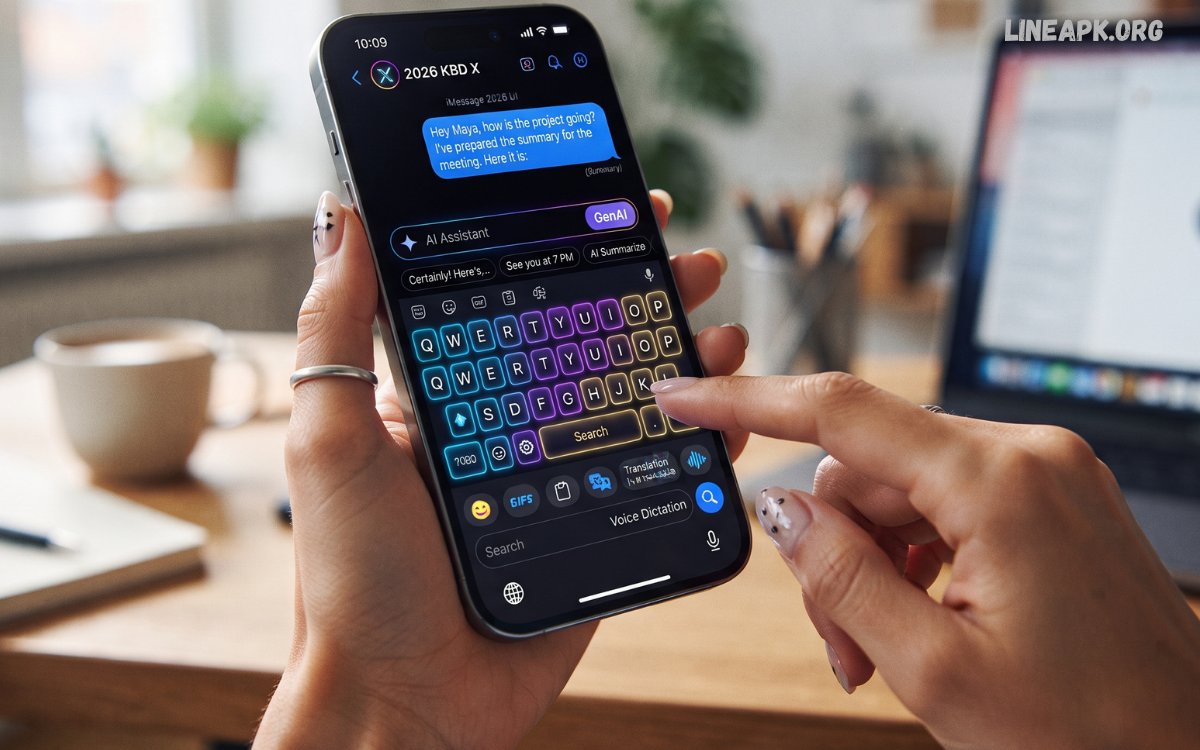
The latest keyboard apps have transformed the way Android users communicate, offering far more than simple text input. In 2026, keyboard applications combine artificial intelligence, customizable themes, multilingual support, voice typing, gesture controls, and advanced privacy features to create a seamless typing experience.
Modern keyboard apps are designed to adapt to your typing habits, predict words intelligently, and provide personalized suggestions that make communication faster and more natural. Many also include built-in translators, GIF libraries, emoji recommendations, clipboard managers, and cloud synchronization, allowing users to enjoy a complete communication solution in one application.
Why Do Keyboard Apps Matter?
Most smartphone users spend hours typing every day. A high-quality keyboard can improve communication while reducing typing errors. Today’s keyboard apps are built with intelligent algorithms that understand user behavior and continuously improve predictions over time.
Modern keyboards provide:
- Faster typing speed
- Better autocorrect
- AI-powered writing suggestions
- Voice typing
- Gesture typing
- Emoji and GIF support
- Clipboard history
- Multi-language support
- Personalized themes
- Enhanced privacy controls
Features to Look for in the Latest Keyboard Apps
Artificial Intelligence
AI is becoming the foundation of modern keyboard technology. Intelligent keyboards now predict complete sentences, recommend better wording, correct grammar, and learn your writing style over time.
Gesture Typing
Swipe typing remains one of the fastest input methods. Instead of tapping every letter, users simply slide their finger across the keyboard.
Voice Typing
Speech recognition has become significantly more accurate. Modern keyboard apps convert spoken words into text almost instantly.
Multilingual Support
Many users communicate in multiple languages. The latest keyboard apps automatically detect language changes without requiring manual switching.
Emoji and GIF Suggestions
Modern keyboards recommend emojis and GIFs based on the conversation, making messaging more expressive.
Clipboard Manager
A clipboard manager stores copied text, links, addresses, and images for quick access whenever needed.
Custom Themes
Users can personalize their keyboard with dark mode, colorful themes, custom backgrounds, fonts, and key shapes.
Privacy Protection
Privacy-focused keyboards minimize cloud processing and provide users with greater control over personal data.
Best Latest Keyboard Apps in 2026
Gboard
Gboard continues to dominate the Android ecosystem thanks to its speed, reliability, and intelligent AI features.
Key features include:
- Excellent voice typing
- Google Translate integration
- AI writing suggestions
- Emoji Kitchen
- GIF search
- Multi-language support
- Handwriting input
- Cloud synchronization
Gboard offers one of the most balanced typing experiences available today.
Microsoft SwiftKey
SwiftKey remains one of the smartest predictive keyboards available.
Major features include:
- AI prediction engine
- Cloud learning
- Multiple themes
- Clipboard manager
- Swipe typing
- Translator
- Emoji prediction
- Multi-language support
Its prediction accuracy improves continuously as it learns individual typing habits.
Grammarly Keyboard
Grammarly Keyboard focuses on professional communication.
Features include:
- Grammar correction
- Spelling checks
- Tone detection
- Vocabulary suggestions
- Writing improvements
- Punctuation correction
It is ideal for emails, reports, business communication, and academic writing.
Fleksy
Fleksy is designed for speed and customization.
Highlights include:
- Fast typing engine
- Gesture shortcuts
- Custom themes
- Extensions
- Emoji recommendations
- Privacy-focused design
Many users appreciate its lightweight performance.
Chrooma Keyboard
Chrooma automatically changes colors based on the application being used.
Popular features:
- Adaptive themes
- Smart prediction
- Gesture typing
- Night mode
- Emoji suggestions
- Low battery consumption
Its dynamic appearance makes typing visually engaging.
Simple Keyboard
Simple Keyboard is perfect for users seeking minimalism.
Benefits include:
- Lightweight installation
- No advertisements
- Fast performance
- Minimal permissions
- Privacy-friendly operation
It works well on older Android devices.
Typewise Keyboard
Typewise introduces a unique hexagonal layout designed to reduce typing mistakes.
Features include:
- Offline typing
- Privacy protection
- Smart autocorrect
- Gesture controls
- Multiple languages
Its innovative design appeals to users looking for an alternative typing experience.
AnySoftKeyboard
As an open-source project, AnySoftKeyboard emphasizes privacy and customization.
Advantages include:
- Offline functionality
- Open-source development
- Custom dictionaries
- Theme support
- Multiple language packs
It is a favorite among users who value transparency.
AI Is Transforming Keyboard Apps
Artificial intelligence is making keyboards smarter than ever before. Modern AI keyboards can:
- Predict complete phrases
- Correct grammar automatically
- Suggest professional wording
- Improve sentence clarity
- Learn personal writing habits
- Recommend replies
- Translate conversations instantly
These capabilities save time while improving communication quality.
Privacy in Modern Keyboard Apps
Keyboard applications process sensitive information, including passwords, messages, and personal notes. Choosing a keyboard with strong privacy protections is essential.
Important privacy features include:
- Local data processing
- Minimal permissions
- Secure cloud synchronization
- Incognito mode
- Private clipboard
- Encrypted backups
Reading the privacy policy before installation is always recommended.
Read Also: Latest Launcher Apps in 2026 – The Ultimate Guide to the Best Android Launchers
Customization Options
One reason the latest keyboard apps remain popular is their extensive customization.
Popular personalization features include:
- Color themes
- Background images
- Font styles
- Keyboard height adjustment
- Key vibration
- Sound effects
- One-handed mode
- Split keyboard
- Rounded keys
- Animated themes
These options allow users to create a keyboard that suits both their preferences and accessibility needs.
Keyboard Apps for Productivity
Professionals often rely on advanced keyboard features to improve efficiency.
Helpful productivity tools include:
- Clipboard history
- Text shortcuts
- Email templates
- Number row
- Quick symbols
- Voice dictation
- AI rewriting
- Calendar integration
These features reduce repetitive typing and streamline daily tasks.
Keyboard Apps for Gamers
Mobile gamers benefit from keyboards optimized for quick communication.
Gaming-friendly features include:
- Fast response time
- Compact layouts
- Custom shortcuts
- Emoji support
- Floating keyboard mode
- Low-latency performance
These enhancements improve in-game messaging without interrupting gameplay.
Battery and Performance
Efficient keyboard apps consume fewer system resources.
Lightweight keyboards typically provide:
- Faster startup
- Lower RAM usage
- Reduced battery drain
- Smooth animations
- Stable performance
Optimized apps are especially useful for budget and older Android devices.
How to Choose the Right Keyboard App
Before downloading a keyboard, consider the following:
- Typing accuracy
- AI capabilities
- Privacy features
- Language support
- Customization options
- Battery efficiency
- Regular updates
- User interface
- Accessibility features
- Compatibility with your Android version
Testing several keyboards can help you find the one that best matches your typing style.
Tips for Better Typing
To maximize your typing experience:
- Enable personalized suggestions.
- Use gesture typing for faster input.
- Activate voice typing when appropriate.
- Keep your keyboard updated.
- Customize key size for comfort.
- Organize clipboard shortcuts.
- Download additional language packs if needed.
- Review privacy settings regularly.
Future of Keyboard Apps
The future of keyboard technology looks promising. Developers are investing heavily in artificial intelligence, machine learning, and contextual understanding.
Upcoming innovations may include:
- Real-time language translation
- AI writing assistants
- Advanced grammar correction
- Personalized communication styles
- Voice cloning integration
- Improved accessibility tools
- Context-aware suggestions
- Smarter predictive typing
As smartphones continue to evolve, keyboard apps will become even more intelligent, secure, and personalized.
Frequently Asked Questions
What are the latest keyboard apps for Android?
Popular options include Gboard, Microsoft SwiftKey, Grammarly Keyboard, Fleksy, Chrooma, Typewise, Simple Keyboard, and AnySoftKeyboard.
Which keyboard app offers the best AI features?
Gboard and Microsoft SwiftKey are among the leading AI-powered keyboards, offering smart predictions, voice typing, and multilingual support.
Are keyboard apps safe to use?
Most well-known keyboard apps are safe when downloaded from trusted sources. Always review permissions and privacy policies before installing.
Which keyboard app is best for privacy?
Typewise, AnySoftKeyboard, and Simple Keyboard are widely recognized for their privacy-focused approach.
Can keyboard apps improve typing speed?
Yes. Features like gesture typing, predictive text, AI suggestions, and voice input can significantly increase typing speed and accuracy.
Do keyboard apps support multiple languages?
Yes. Most modern keyboard apps support dozens or even hundreds of languages with automatic language detection.
Can I customize my keyboard?
Absolutely. Many keyboard apps allow you to change themes, colors, layouts, fonts, key sizes, and background images.
Which keyboard app is best for professional writing?
Grammarly Keyboard is an excellent choice for users who want grammar correction and writing enhancement features.
Do keyboard apps consume battery?
Well-optimized keyboard apps use minimal battery. Lightweight keyboards are particularly efficient on older devices.
Are free keyboard apps worth using?
Yes. Many free keyboard apps provide excellent features, regular updates, and strong performance without requiring a paid subscription.
Conclusion
The latest keyboard apps in 2026 offer far more than basic typing functionality. They combine artificial intelligence, customization, productivity tools, multilingual support, and privacy-focused features to deliver an exceptional user experience. Whether you prioritize speed, professional writing, gaming, creativity, or security, there is a keyboard app designed to meet your specific needs
