

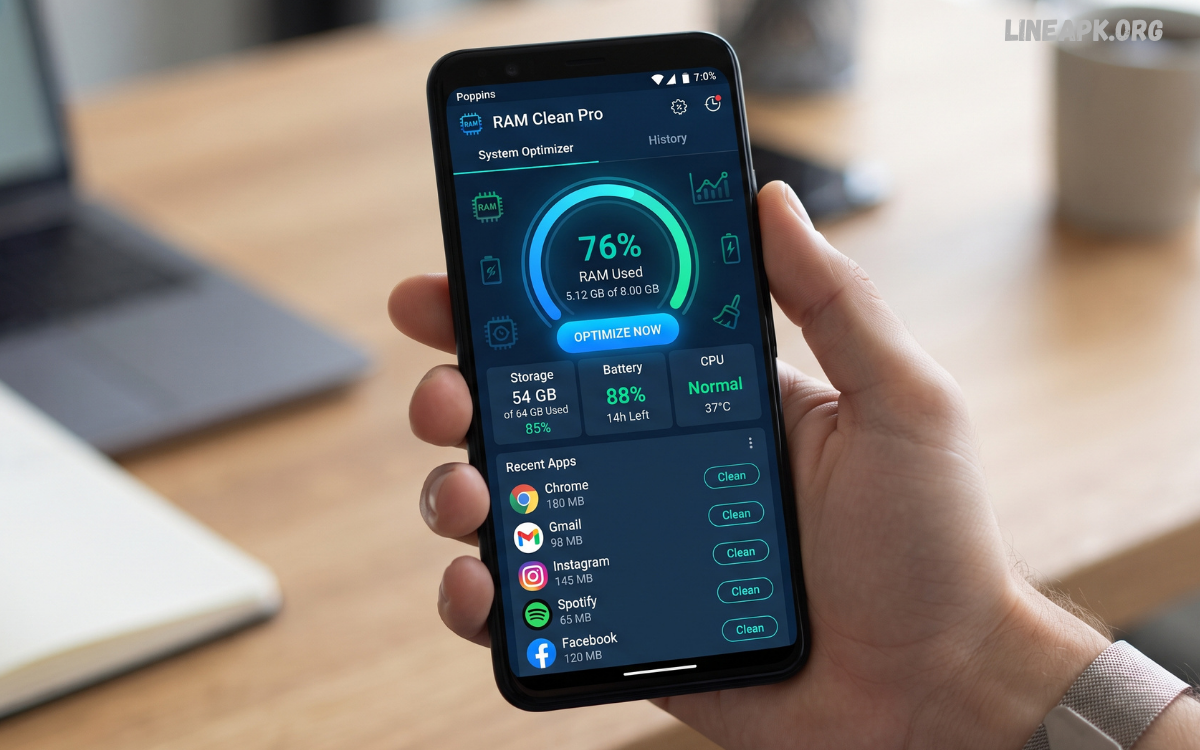
Smartphones have become essential tools for communication, entertainment, productivity, gaming, and everyday tasks. As users install more applications and keep multiple services running, device performance can sometimes feel slower than expected.
RAM, or Random Access Memory, is temporary working memory used by Android to keep applications and system processes readily available. When several demanding applications are active at the same time, available memory can become limited.
What Is RAM?
RAM is the short-term memory used by a smartphone to keep currently active applications and system processes accessible. Unlike permanent storage, RAM is designed for temporary information that the operating system needs during normal operation.
For example, when you switch between a browser, messaging application, music player, and game, Android may keep parts of those applications in RAM. This allows supported apps to reopen quickly without starting completely from the beginning.
What Are RAM Cleaner Apps?
RAM cleaner apps are utilities that provide tools for monitoring or managing memory usage. Depending on the application, they may display current RAM consumption, identify applications using significant resources, and provide options for stopping selected background processes.
Some cleaner apps combine RAM management with additional functions, including:
- RAM usage monitoring
- Background-process management
- Storage analysis
- Junk-file detection
- Battery monitoring
- Application management
- Device information
- Performance dashboards
- Notification controls
- Privacy-related features
The quality of these functions varies considerably. A reputable utility should clearly explain what it does instead of promising unrealistic improvements.
How RAM Cleaner Apps Work
A RAM management application generally examines running applications and available memory. Depending on Android’s permissions and restrictions, it may provide information about which applications are consuming resources.
Some apps offer a one-tap cleaning feature. When activated, the application may attempt to stop selected background processes. Android can then reclaim memory associated with those processes.
Benefits of RAM Cleaner Apps
Memory Monitoring
One of the most useful features is real-time RAM monitoring. Users can see how much memory is being used and identify applications that consume significant resources.
This information can help determine whether performance problems are related to memory usage or another issue.
Background App Management
Some utilities make it easier to identify applications running in the background. If a particular application is unnecessarily active, users may be able to close it or adjust its settings.
This can be particularly useful for troubleshooting applications that appear to consume excessive resources.
Performance Information
A well-designed dashboard can provide an overview of RAM, storage, battery usage, and application activity. Having these details in one place makes device maintenance more convenient.
Storage Management
Many RAM cleaner applications also include storage-management features. Although storage and RAM are different resources, freeing unnecessary storage can help users maintain a healthier device environment.
Users can identify old downloads, duplicate files, unused applications, and other unnecessary data before deleting anything.
Easier Troubleshooting
If a smartphone becomes unusually slow, a monitoring tool can help users investigate possible causes. High memory consumption, resource-heavy applications, limited storage, or excessive background activity can all be examined.
Limitations of RAM Cleaner Apps
RAM cleaner apps are not a universal solution for smartphone performance problems. Modern Android versions already include sophisticated memory management, and aggressively terminating applications can sometimes be counterproductive.
Android Already Manages RAM
Android automatically manages memory and determines when applications should remain active or be removed from memory. Because of this, manually clearing RAM is often unnecessary.
The operating system can prioritize active applications and reclaim memory when it is needed.
Cleaning RAM Can Be Temporary
After a cleaner closes applications, those applications may restart when the system or user needs them. This means the amount of available memory can return to its previous level.
Repeatedly performing the same action may therefore provide little lasting benefit.
Potential Battery Impact
Constantly closing and restarting applications can require additional processing. In some situations, repeatedly restarting apps may use more resources than allowing Android to manage them normally.
Privacy Concerns
Users should carefully review the permissions requested by cleaner applications. A utility that claims to manage RAM should not require unnecessary access to unrelated personal information.
Before installing any application, check its developer, permissions, privacy policy, reviews, and update history.
Important Features to Look For
When choosing ram cleaner apps, focus on useful functionality rather than exaggerated performance claims.
Clear RAM Dashboard
A simple dashboard should show memory usage in an understandable format. Avoid applications that overwhelm users with misleading statistics or unnecessary warnings.
App Management
The ability to view installed applications and identify resource-heavy apps can be more useful than a simple one-tap cleaning button.
Storage Analysis
A storage analyzer can help identify large files and unused applications. This is a practical maintenance feature that complements memory monitoring.
Lightweight Design
A cleaner application should not consume excessive system resources itself. A utility designed to improve device management should operate efficiently.
Transparent Permissions
Check which permissions the application requests. Permissions should have a clear relationship to the features being offered.
Reliable Updates
Regular updates indicate that the developer is maintaining compatibility and addressing security or performance issues.
RAM Cleaner Apps for Gaming
Mobile games can require substantial system resources, particularly modern multiplayer and graphics-intensive titles. Players may consider using RAM cleaners before launching a game to maximize available resources.
However, simply clearing RAM does not guarantee higher frame rates. Gaming performance also depends on the processor, graphics hardware, thermal conditions, game optimization, display settings, network quality, and available storage.
Read Also: Battery Saver Android: Complete Guide to Improving Battery Life in 2026
RAM Management vs Storage Cleaning
RAM cleaning and storage cleaning are two different processes.
RAM is temporary working memory used while applications are running. Storage is permanent space used for applications, photos, videos, documents, downloads, and other files..
How to Improve Android Performance Without a RAM Cleaner
A cleaner application is only one possible maintenance tool. Users can often improve their experience through simple built-in settings.
Remove Unused Applications
Uninstall applications that are no longer needed. Fewer unnecessary applications can reduce background activity and simplify device management.
Keep Software Updated
Operating-system and application updates can include performance improvements, compatibility fixes, and security patches.
Manage Background Activity
Review applications that frequently run in the background. If an application does not need continuous activity, consider adjusting its background settings where Android provides those controls.
Maintain Adequate Storage Space
Extremely limited storage can make device management more difficult. Regularly review downloads, large media files, and unused applications.
Restart Occasionally
A normal device restart can resolve temporary software issues and refresh active processes without requiring a dedicated RAM cleaner.
Reduce Unnecessary Widgets and Live Features
Some continuously updating widgets and features can consume additional resources. Removing those that are not useful may help keep the device simpler.
Are RAM Cleaner Apps Safe?
Safety depends on the individual application and its developer. Users should download utilities from reputable sources and examine their permissions before installation.
Be cautious with applications that promise dramatic speed increases, claim to make a device permanently faster with one tap, display excessive advertisements, or request permissions unrelated to their advertised purpose.
Common Mistakes When Using RAM Cleaner Apps
One common mistake is cleaning RAM repeatedly throughout the day. Android already manages memory dynamically, so constant manual intervention is usually unnecessary.
Another mistake is assuming that the highest amount of free RAM equals the best performance. Android uses memory to keep applications available, so some occupied RAM is normal.
Choosing the Right RAM Cleaner App in 2026
In 2026, users should prioritize transparency, simplicity, compatibility, and practical features when evaluating RAM cleaner apps. A useful application should help users understand their device rather than constantly prompting unnecessary cleaning.
Look for a clean interface, accurate information, reasonable permissions, trustworthy development, and useful monitoring capabilities. Storage analysis and application management can add genuine value, while aggressive one-tap optimization features should be approached carefully.
Frequently Asked Questions
Do RAM cleaner apps really improve phone performance?
They can help users identify and stop unnecessary background activity, but modern Android already manages RAM automatically. A permanent performance improvement is not guaranteed.
Is it necessary to clean RAM every day?
No. Android is designed to manage memory automatically, so frequent manual RAM cleaning is generally unnecessary.
Can RAM cleaner apps improve gaming performance?
They may help identify background applications consuming resources, but gaming performance depends on many factors beyond RAM availability.
Does clearing RAM save battery?
Not necessarily. Frequently closing and restarting applications can sometimes require additional processing.
Is RAM the same as phone storage?
No. RAM is temporary working memory, while storage permanently holds applications, photos, videos, documents, and other files.
Should I install multiple RAM cleaner apps?
No. Multiple cleaner applications can duplicate functions and may add unnecessary background activity.
Can a RAM cleaner fix an old phone?
A cleaner cannot upgrade the hardware. It may help with basic management, but hardware limitations can still affect performance.
Are built-in Android tools enough?
For many users, yes. Android provides built-in memory, battery, storage, and application-management features that can handle common maintenance tasks.
What should I check before installing a RAM cleaner?
Review the developer, permissions, recent reviews, update history, privacy information, and the application’s actual features.
What is the best approach to RAM management?
Allow Android to handle routine memory management and use a reputable monitoring utility only when you need additional information or troubleshooting tools.
Conclusion
RAM cleaner apps can be useful when they provide clear information about memory consumption, background activity, storage, and application behavior. However, they should not be viewed as magical performance boosters.
The most effective approach is balanced device maintenance. Keep applications and Android updated, remove software you no longer use, maintain reasonable storage space, monitor unusual background activity, and use cleaner utilities carefully.
