

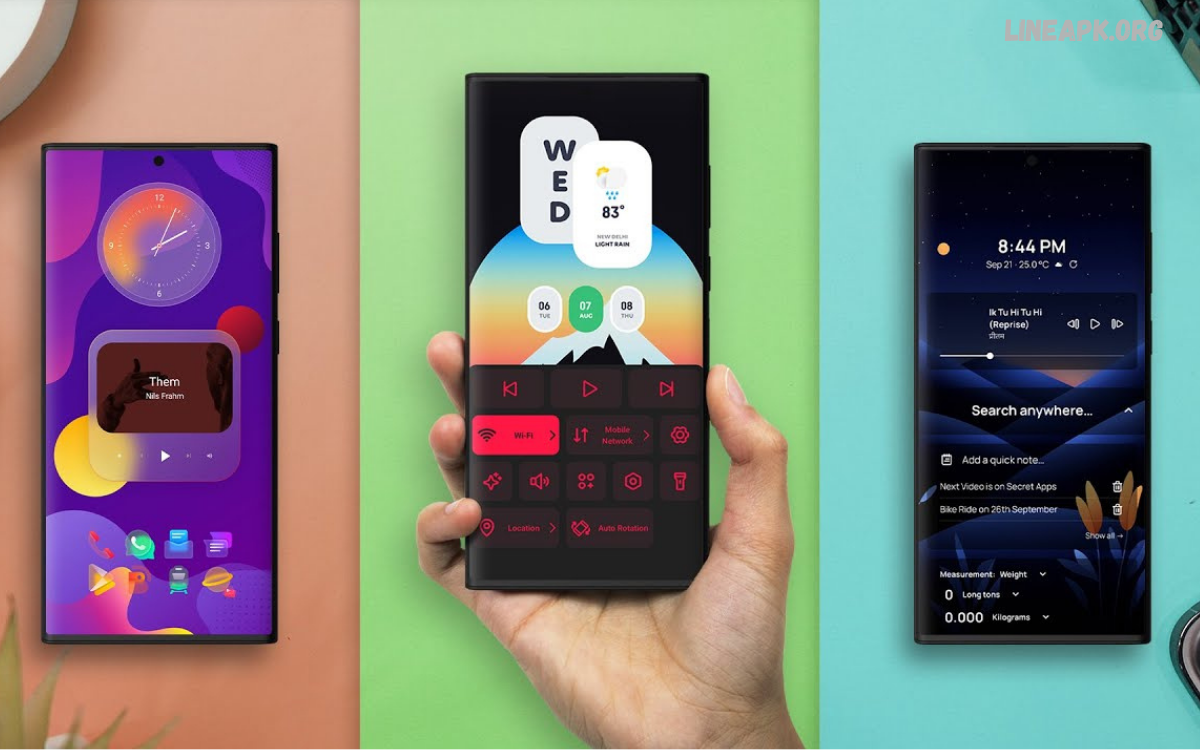
Choosing the best Android launcher can completely change the way you interact with your smartphone. While Android already provides a flexible home-screen experience, a third-party launcher can offer significantly more customization, better organization, gesture controls, icon support, and productivity features.
A good launcher is more than a tool for changing wallpapers or icons. It can simplify navigation, improve access to frequently used applications, reduce visual clutter, and create a personalized interface that matches individual preferences.
What Is an Android Launcher?
An Android launcher is the software responsible for managing the appearance and functionality of your phone’s home screen and app drawer. It controls how applications are displayed and how users interact with the device after unlocking it.
Most Android smartphones come with a manufacturer-specific launcher. Samsung, Google, Xiaomi, OnePlus, and other brands may provide different interfaces with their own layouts and customization features.
Why Use the Best Android Launcher?
The right launcher can provide several practical benefits. Customization is one of the biggest reasons users install alternative launchers. Instead of accepting the default arrangement, users can create an interface that matches their preferences.
Performance is another consideration. Some lightweight launchers are designed to provide a clean experience without unnecessary visual effects. This can make navigation feel more straightforward, particularly on devices with limited resources.
Key Features to Look For
When searching for the best Android launcher, consider the features that matter most to your daily usage.
Customization
A strong launcher should provide control over the home-screen grid, icon size, widget placement, folders, wallpapers, and app drawer. Advanced launchers may also support icon packs and custom gestures.
Performance
A launcher should feel responsive when opening applications, switching screens, and accessing the app drawer. Avoid choosing an application solely because it has numerous features. Excessive visual effects can make an interface feel unnecessarily complicated.
Gesture Controls
Gesture support can make everyday navigation faster. Depending on the launcher and Android version, users may be able to swipe, double-tap, or perform other gestures to launch applications or perform actions.
App Organization
An effective app drawer can make a major difference. Search, folders, categories, and customizable sorting options can help users manage large collections of applications.
Widgets
Modern Android launchers should work well with standard Android widgets. Some also provide additional widget customization, allowing users to create more useful home screens.
Privacy
Check the permissions requested by a launcher before installation. A launcher should not require unnecessary access to sensitive information. Reviewing the developer’s privacy information can help you make a more informed decision.
Popular Choices for the Best Android Launcher
Different launchers are designed for different types of users. Rather than selecting an application simply because it is popular, consider how its features match your requirements.
Nova Launcher
Nova Launcher has long been recognized for its extensive customization capabilities. It gives users control over home-screen layouts, icons, folders, app drawers, gestures, and other interface elements.
Its strength is flexibility. Users who enjoy experimenting with their Android interface can create highly customized layouts. It is particularly appealing to people who want more control than their phone’s default launcher provides.
Microsoft Launcher
Microsoft Launcher focuses on productivity while maintaining Android customization features. It can integrate useful productivity-oriented elements, making it suitable for users who frequently work with Microsoft services.
Its interface provides customizable home screens, app organization, wallpapers, and personalized content. Users interested in combining productivity features with Android customization may find it useful.
Niagara Launcher
Niagara Launcher takes a minimalist approach. Instead of presenting a traditional grid filled with icons, it focuses on keeping the interface clean and reducing unnecessary clutter.
This design can be useful for people who prefer a simple home screen and quick access to their most important applications. Its distinctive approach makes it different from conventional Android launchers.
Smart Launcher
Smart Launcher emphasizes automatic organization and personalization. It can help organize applications into categories and provides tools for creating a more structured home screen.
It is a strong option for users who want customization without manually arranging every application. Its organization-focused design can be especially useful for people with many installed apps.
Lawnchair
Lawnchair aims to provide a clean Android-style experience while offering additional customization. It appeals to users who enjoy the look of a near-stock Android interface but want greater control over the home screen.
Its approach combines simplicity with customization, making it suitable for users who want an uncluttered interface without giving up personalization options.
Best Android Launcher for Customization
If customization is your primary goal, look for a launcher that supports detailed control over icons, grids, gestures, folders, animations, and widgets.
A highly customizable launcher allows you to change the number of rows and columns on your home screen, resize icons, adjust spacing, create folders, and modify app-drawer behavior. Icon-pack compatibility is also important for users who want a consistent visual theme.
Best Android Launcher for Minimalists
Minimalist users may prefer a launcher that removes unnecessary visual elements and emphasizes essential applications.
A clean launcher can display only the apps you use most frequently while keeping the rest accessible through search or an organized app drawer. This approach can make your home screen easier to navigate and visually simpler.
Best Android Launcher for Productivity
Productivity-focused users should look for features that reduce the number of steps required to access important applications and information.
Quick search, gesture shortcuts, customizable folders, calendar widgets, reminders, and organized app drawers can all improve productivity. A well-designed launcher can place frequently used tools within easy reach.
How to Choose the Right Launcher
Start by identifying what you want to improve. If your primary concern is customization, select a launcher with extensive personalization features. If simplicity matters most, consider a minimalist option.
Next, check compatibility with your Android version and device. Features can vary depending on the smartphone manufacturer and operating system version.
Read Also: Android Optimization Apps: Complete Guide to Improving Your Phone’s Performance in 2026
Tips for Setting Up a New Android Launcher
After installing a launcher, begin with a simple layout rather than changing everything immediately. Place frequently used applications on the primary home screen and organize less-used apps into folders or the app drawer.
Choose a readable icon size and avoid overcrowding the screen with widgets. A few useful widgets can provide valuable information, while too many can make navigation difficult.
Are Android Launchers Safe?
Established Android launchers can generally be used safely when downloaded from reputable sources and configured with appropriate permissions. However, users should still exercise caution.
Before installing a launcher, check its developer information, user reviews, update history, and requested permissions. Avoid applications that request access unrelated to their functionality.
Advantages of Using an Android Launcher
The main advantage is personalization. A launcher gives users more control over the interface and allows them to create a home screen that fits their workflow.
Other advantages include improved application organization, customizable gestures, flexible icon layouts, better search options, and specialized productivity tools.
Potential Drawbacks
Third-party launchers are not perfect for everyone. Some advanced applications can consume additional system resources, especially when using complex animations or visual effects.
Certain features may require premium versions, while others may not work exactly as expected on every device. Manufacturer-specific Android interfaces can also limit compatibility with some launcher features.
Frequently Asked Questions
What is the best Android launcher in 2026?
The best Android launcher depends on your needs. Customization-focused, minimalist, productivity-oriented, and stock-Android-style launchers each offer different advantages.
Is an Android launcher safe to use?
Most reputable launchers are safe when downloaded from trusted sources. Always check the developer, permissions, reviews, privacy information, and update history before installing one.
Can an Android launcher improve phone performance?
A lightweight launcher may provide a smoother experience by avoiding unnecessary animations and features. However, performance also depends on your device hardware and Android version.
Can I customize app icons with an Android launcher?
Yes. Many launchers support custom icon packs, allowing you to change the appearance of application icons and create a consistent visual theme.
Does an Android launcher change the entire Android system?
No. A launcher primarily changes the home screen, app drawer, widgets, icons, and navigation experience. It does not replace the Android operating system itself.
Can I switch back to my default launcher?
Yes. You can usually change the default home application through your Android device’s settings and return to the manufacturer’s original launcher.
Do Android launchers support widgets?
Yes. Most modern launchers support standard Android widgets. Some also provide additional customization options for widget placement and sizing.
Which Android launcher is best for minimalists?
Minimalist launchers are designed to reduce clutter and provide quick access to essential applications. A simple launcher with a clean interface is generally the best choice for minimalist users.
Can Android launchers hide apps?
Many launchers include an option to hide selected applications from the app drawer. Availability and implementation vary between launchers and Android versions.
Do Android launchers work on every Android phone?
Most launchers support a wide range of Android devices, but certain features may vary depending on the manufacturer, Android version, and device-specific software
Conclusion
Finding the best Android launcher depends on your personal requirements and how you use your smartphone. Customization-focused users may prefer feature-rich launchers, while minimalists may benefit from a cleaner interface. Productivity users should prioritize search, shortcuts, organization, and useful widgets.
The ideal launcher should make your phone easier and more enjoyable to use rather than simply adding more customization options. Before making a decision, consider performance, privacy, compatibility, customization, organization, and developer support.
