

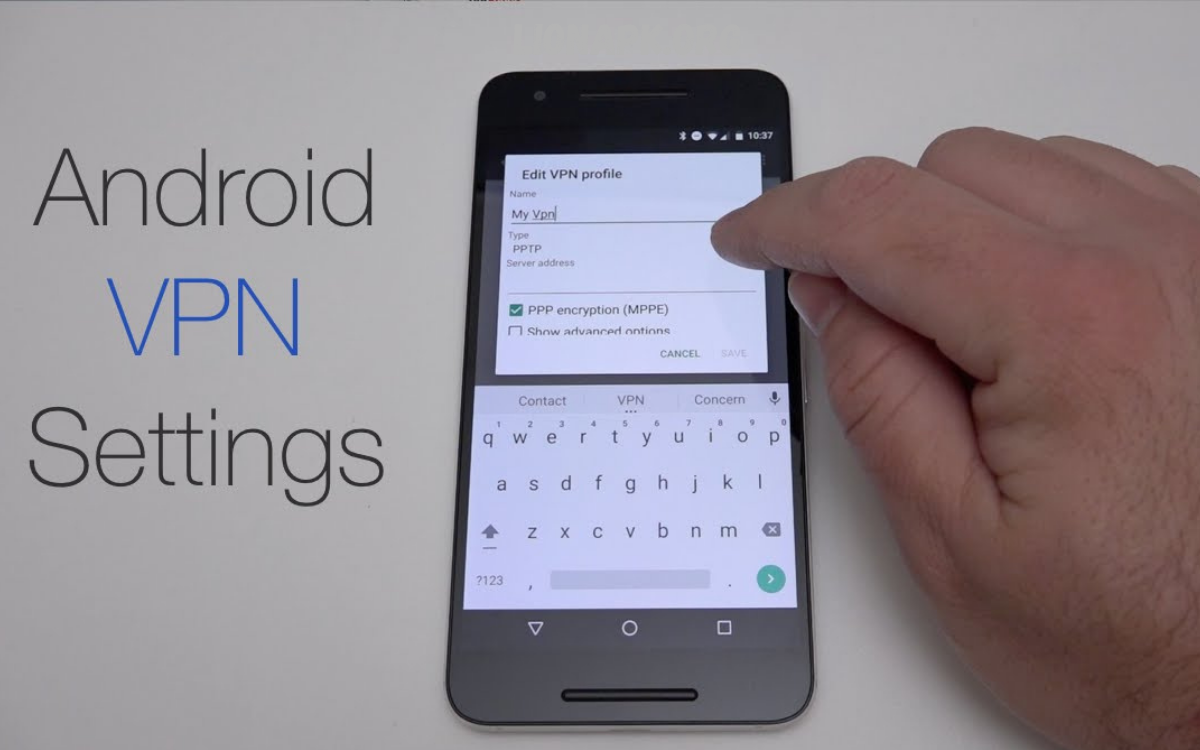
Using a VPN on Android has become a common practice to improve privacy, secure data, and access more open internet connections on mobile devices. A Virtual Private Network (VPN) works by routing your internet traffic through an encrypted tunnel to a remote server, masking your IP address and making your online activity harder to track.
Most users install a VPN application from a provider, sign in, and tap a connect button to activate protection. Once connected, the Android device reroutes all network traffic through the VPN server, which can help protect sensitive information when using public Wi-Fi, reduce exposure to tracking, and sometimes bypass regional content restrictions.
Why VPN Usage Matters on Android Devices
Mobile devices often connect to public or semi-secure networks, including those in cafés, airports, and other shared Wi-Fi environments. These networks present significant security risks due to weak encryption or malicious interception attempts. A VPN mitigates these risks by encrypting data before it leaves the device.
Another critical reason for using a VPN is privacy protection. Many websites and applications track user behavior through IP addresses and location data. By masking this information, VPN services help reduce profiling and targeted tracking activities on Android devices.
VPN usage also supports content accessibility. Some services restrict access based on geographic location. A VPN allows users to connect via alternative servers in different regions, enabling broader access while maintaining encrypted communication channels.
How VPN Works in the Android Environment
Understanding how to use a VPN on Android requires clarity on how the system handles network traffic. Once a VPN is activated, Android routes all internet requests through a secure VPN server rather than directly connecting to websites or applications.
The process begins with authentication between the VPN application and server. After successful authentication, an encrypted tunnel is established. This tunnel ensures that all transmitted data is encoded and protected from interception or modification.
On Android systems, a persistent notification typically appears when the VPN is active. This ensures users remain aware of secure routing status and can disconnect or modify settings as needed.
How to Use a VPN on Android: Step-by-Step
Learning How to Use a VPN on Android begins with selecting a reliable VPN service provider and installing its application from a trusted source. After installation, users must create or log into an account to activate service access.
Once logged in, the application usually presents a quick-connect option. Selecting this option automatically connects the device to an optimized server based on speed or location. Alternatively, users may manually select specific server regions depending on their needs.
After connection, the Android device begins routing traffic through the encrypted tunnel. Users should verify connection status within the app interface or system notification panel to ensure active protection before browsing or using online services.
Configuring VPN Settings for Optimal Performance
Proper configuration is essential for maximizing VPN efficiency. Users can adjust settings such as protocol selection, auto-connect behavior, and server preferences to improve both speed and stability.
On Android devices, many VPN applications offer an auto-start feature that activates protection whenever the device connects to unsecured networks. This ensures continuous security without manual intervention.
Advanced settings may include split tunneling, which allows specific apps to bypass the VPN connection while others remain protected. This feature is useful for balancing performance and functionality across different applications.
Choosing the Right VPN for Android Usage
Selecting an appropriate VPN requires evaluation of security standards, server availability, and performance consistency. Strong encryption protocols and a no-log policy are key indicators of reliable service quality.
Compatibility with Android should also be considered. A well-optimized VPN application ensures minimal battery consumption and stable connectivity across mobile networks and Wi-Fi environments.
Additional factors include server distribution, connection speed, and customer support responsiveness. A globally distributed server network improves access flexibility and reduces latency during data transmission.
Security Benefits of VPN on Android
One of the primary advantages of VPN usage is enhanced data security. Encrypted traffic prevents unauthorized access to sensitive information such as login credentials, financial data, and personal communications.
On Android platforms, VPN protection also reduces vulnerability to man-in-the-middle attacks, which often occur on unsecured networks. By encrypting communication channels, VPNs eliminate readable data exposure during transmission.
VPN services also contribute to digital anonymity. By masking IP addresses, users reduce traceability and minimize exposure to location-based tracking systems used by websites and advertisers.
Common Problems and Troubleshooting VPN on Android
Users may occasionally experience connection failures or slow browsing speeds when using a VPN. These issues are often related to server overload, weak network signals, or incorrect configuration settings.
On Android devices, clearing cache, switching servers, or restarting the VPN application can resolve most common connectivity problems. Ensuring the latest version of the VPN application is installed also improves stability.
In cases of persistent disconnection, checking battery optimization settings is important, as Android may restrict background activity for certain applications. Allowing unrestricted background usage can improve VPN reliability.
Advanced VPN Features for Android Users
Modern VPN applications offer advanced tools that improve usability and control. Kill switch functionality automatically disconnects internet access if the VPN connection drops, preventing accidental data exposure.
On Android devices, split tunneling provides selective routing options, enabling users to assign specific applications to bypass or use VPN protection depending on requirements.
Other advanced features include multi-hop connections, which route traffic through multiple servers for additional anonymity, and dedicated IP options for consistent online identity management.
Best Practices for Using VPN on Android
Effective VPN usage requires consistent application and proper configuration management. Users should always ensure the VPN is active before accessing sensitive services or public networks.
On Android platforms, enabling auto-connect features ensures continuous protection without relying on manual activation. Regular updates to VPN applications also maintain security integrity and performance improvements.
Users should avoid using unverified VPN services, as low-quality providers may compromise data privacy rather than enhance it. Choosing reputable solutions with transparent privacy policies is essential for long-term security.
Frequently Asked Questions
Can a VPN protect me on public Wi-Fi?
A VPN provides strong protection on public Wi-Fi by encrypting data and preventing unauthorized access to transmitted information.
Do I need technical skills to use a VPN on Android?
No technical skills are required because most VPN apps offer one-tap connection and automatic configuration.
Can I use a free VPN on Android?
Free VPNs exist, but they often come with limitations such as slower speeds, data caps, or weaker privacy policies.
Will a VPN hide my location on Android?
Yes, a VPN masks your real IP address and replaces it with the location of the selected VPN server.
Can all apps on Android use a VPN connection?
Yes, when properly configured, a VPN routes traffic from most apps and system services through the encrypted tunnel.
Does a VPN drain battery on Android?
A VPN may use slightly more battery due to background encryption processes, but the impact is usually minimal.
Can I switch VPN servers on Android at any time?
Yes, most VPN apps allow users to change servers anytime to improve speed, access content, or adjust virtual location.
Conclusion
Understanding how to use a VPN on Android provides a strong foundation for improving mobile security, enhancing privacy, and maintaining safe internet access across different environments. VPN technology transforms standard internet connections into encrypted communication channels that protect data from unauthorized access.
On an Android device, VPN usage is both accessible and highly effective when configured correctly. By selecting reliable services, enabling proper settings, and maintaining consistent usage habits, users can significantly strengthen their digital security posture in everyday mobile activities.
